
Client & project management
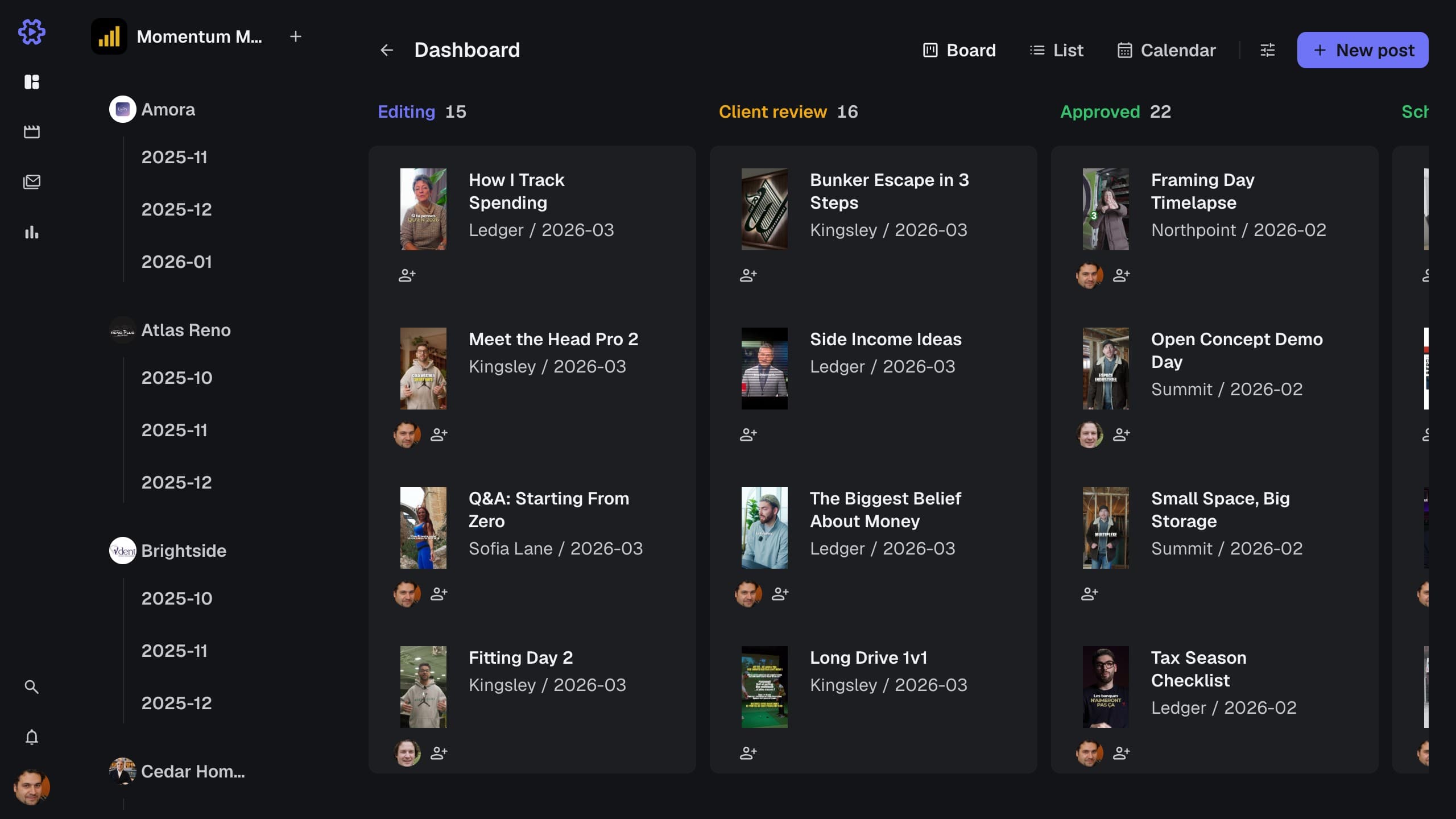
Every video from brief to published, grouped by client and project on one board.
How it works
Create a client, then a project under it. Drop a video on the board and it becomes a card. Drag the card to Editing and assign your editor, and they see it on their own board. Read when a spreadsheet stops working for video production.
Clients and projects
Group every video under its client and the project it belongs to.
Pipeline board
Drag a card from Ideas to Published as the work moves.
List and calendar views
See the same work as a list, or by date on a calendar.
Assignees and roles
Assign each video to an editor. Roles decide who sees which clients.
Client and project filters
Narrow every view to one client or project, or see the whole roster.
Search
Find any client, project, video, comment or file from one search bar.