Free tool

Free video production tracker for Excel, Google Sheets and Numbers.

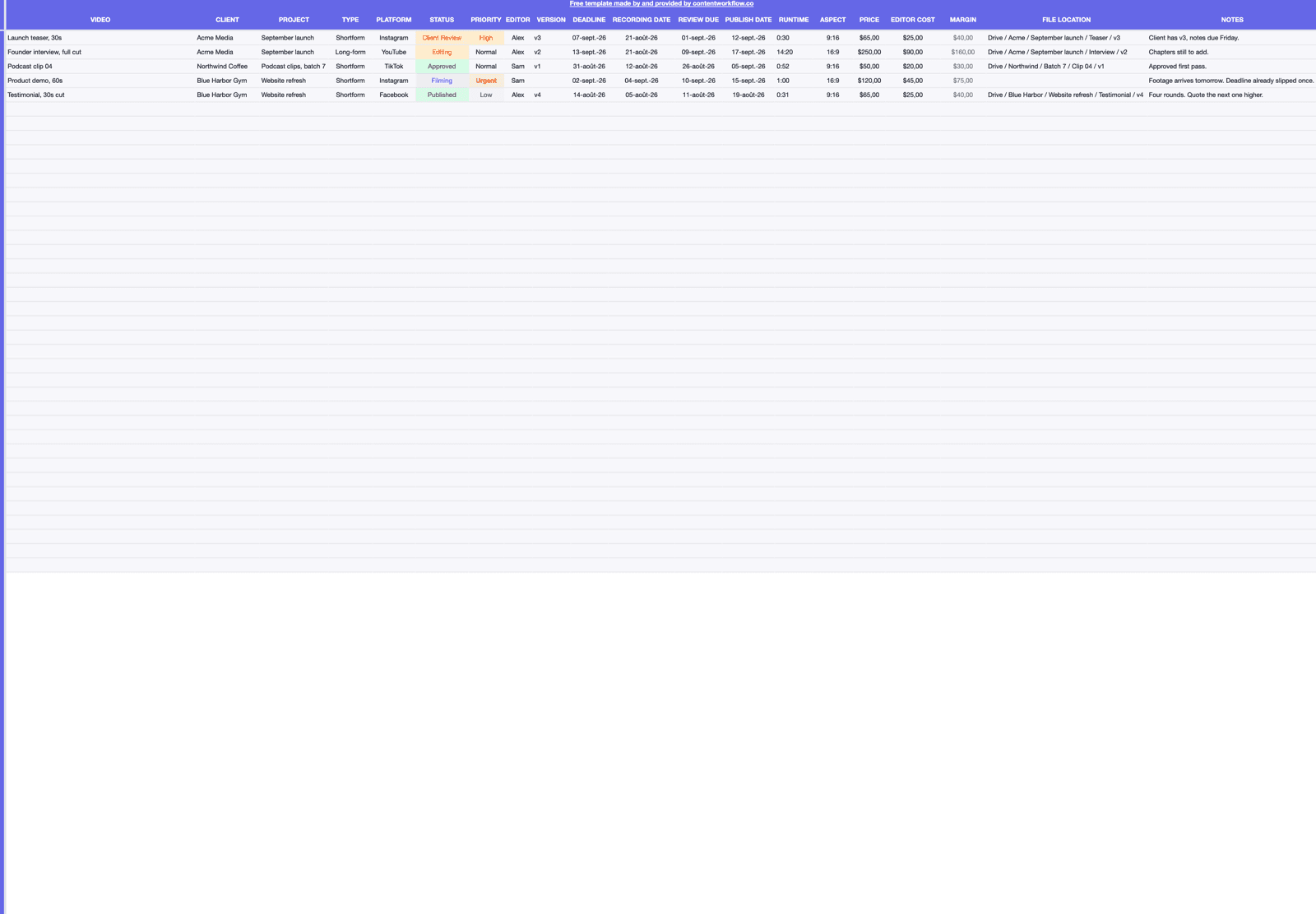
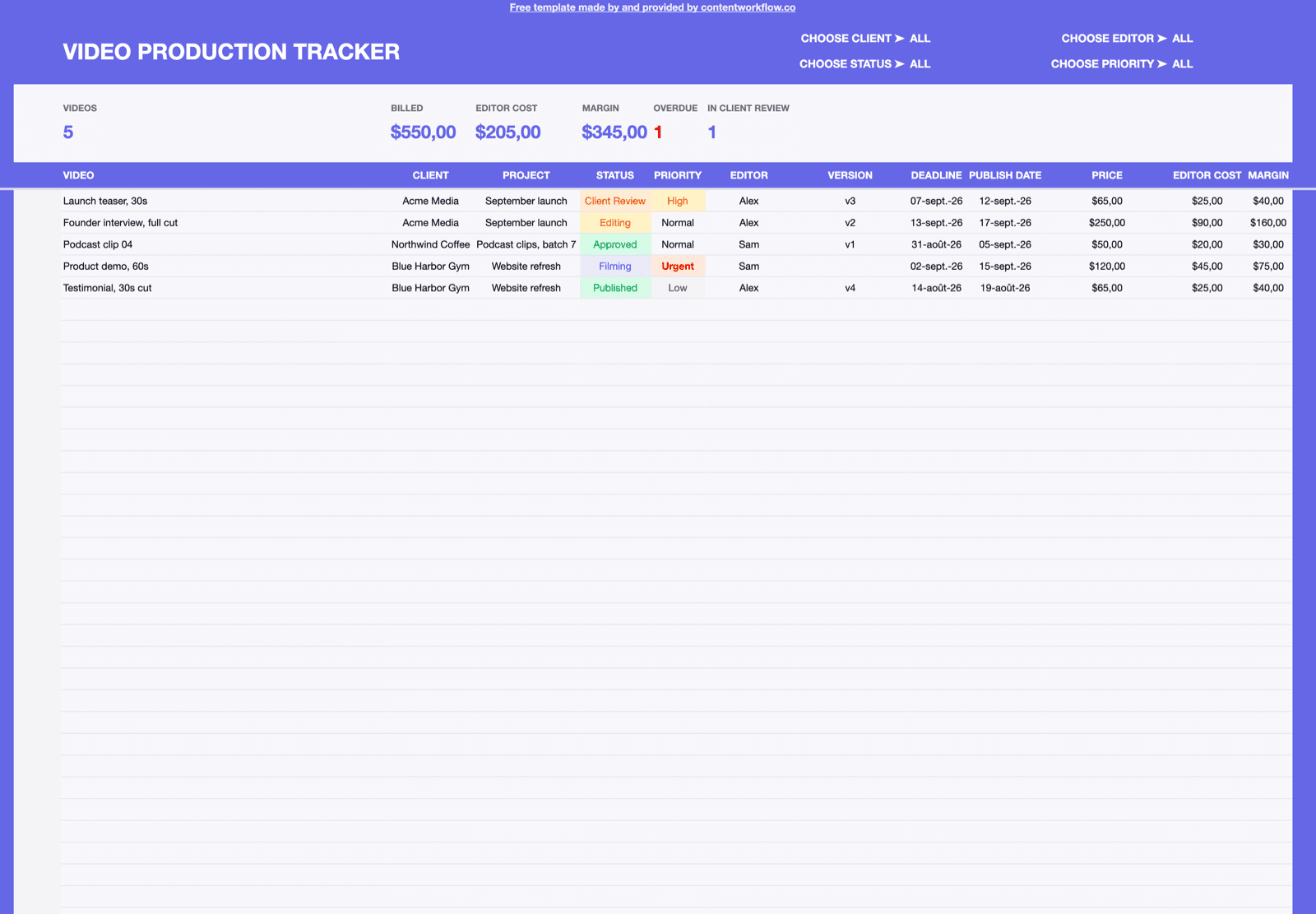
A video project tracker spreadsheet built around the part that actually goes wrong: versions, review rounds and who approved what. Fifteen columns, five example rows to delete, downloadable as a CSV. No email, no signup, no account.

1 KB CSV. Opens in Excel, Google Sheets, Numbers and LibreOffice. Free to use and change however you like.

  1. Not started
  2. Editing
  3. Review
  4. Revisions
  5. Approved
  6. Delivered

Every column, and what to put in it

Fifteen columns in four groups: the job, where it stands, the dates, and the deliverable. Nothing depends on anything else, so delete whichever group does not match how you work.

The job

One row per deliverable, never per project. A three-video shoot is three rows sharing a Project value.

Video
The individual deliverable — one cut, one aspect ratio. If two people could hand you two different files for the same row, it needs to be two rows.
Client
Who it is for. Sort by this when a client asks where everything of theirs stands.
Project
The batch the deliverable belongs to: a shoot day, a campaign, a month of clips. This is how you invoice and how you spot a project that has quietly grown.
Editor
Whoever is holding the file right now. On a solo operation it is always you — keep the column anyway, because a blank cell is a fast way to see nobody has picked something up.

Where it actually stands

The four columns that answer the only question anyone asks: is this one done, and if not, what is it waiting on?

Current Version
v1, v2, v3. Bump it every time you export something a client could see. The version number in this cell and the version in the filename must be the same string, or the column is worse than nothing.
Status
Not started, Editing, Review, Revisions, Approved, Delivered. Review means it is with the client; Revisions means it is back with you.
Feedback Resolved (Y/N)
One character, and the most valuable column in the file. N with a Review Due date in the past is a stalled video, and that filter is the whole reason to keep the sheet.
Approved By
The person who actually signed it off. Filling this in is what makes a later round of notes a change request instead of an argument.

The dates

Three dates, written as YYYY-MM-DD so they sort correctly and cannot be misread between locales.

Shoot Date
When the footage was captured, or the date it is due to arrive. Old Shoot Date with an empty Current Version is footage sitting untouched.
Review Due
When you need the client's notes back — not when you send the cut. Deadlines slip on the review side far more often than the editing side, and this is the column that proves it.
Delivery Date
What was promised. Sort ascending on a Monday morning and the week is planned.

The deliverable itself

The specs you will otherwise re-ask about, and the one link that has to be right.

Runtime
M:SS of the current cut. Worth logging because it is the first thing a client checks against the brief and the first thing that drifts across versions.
Aspect Ratio
9:16, 16:9, 1:1, 4:5. A row that needs two ratios is two rows — this is the most common cause of a delivery that is technically late.
File Location
Where the current version lives: the Drive path, the review link, the drive letter. Point it at the exact version in Current Version, not the parent folder.
Notes
Anything without a column. The most useful thing to write here is why a video took four rounds, because that is what should change the next quote.

Every field containing a comma is quoted in the file and dates use YYYY-MM-DD, so it imports cleanly into Excel, Google Sheets, Numbers or LibreOffice without a mangled row.

How to actually use it

Six habits. Five of them take seconds; the fourth one is the difference between a tracker and a graveyard.

  1. 1

    Delete the five example rows

    Each one has EXAMPLE in the Video column and “delete this row” in the Notes. They are there so you can see the shape of a filled-in sheet before you have one.

  2. 2

    Add a row per deliverable the moment it is agreed

    Not when you start editing. Video, Client, Project, Delivery Date and Status set to Not started is enough. Work that exists only in a WhatsApp thread is work you will forget to schedule.

  3. 3

    Bump Current Version on every export

    Rename the file and update the cell in the same motion. Ninety percent of “which one is the latest?” comes from those two things drifting apart.

  4. 4

    Set Review Due when you send, not when you finish

    The clock that matters starts when the client receives the cut. Give them a real date, put it in the column, and you get to chase against something written down rather than a feeling.

  5. 5

    Filter on Feedback Resolved = N

    Do it every morning. Anything with an N and a Review Due date in the past is either waiting on you or waiting on them, and both need a message today. This one filter is most of the value of the file.

  6. 6

    Record Approved By and Delivery Date, then leave the row alone

    Do not delete delivered rows. A quarter of them, read together, tells you which client averages four rounds and which averages one — which is a pricing decision, not an editing one.

This file covers the edit. What goes out, when, and with which caption belongs in the content calendar template — same format, same date convention, designed to sit beside this one rather than duplicate it.

Where a spreadsheet stops working

We just handed you a spreadsheet, so this is not an argument against them — for plenty of people a tracker like this is enough for years. These are simply the things a grid of cells cannot do, so you know what you are looking at when you hit one.

The cut is not in the row

File Location holds a link, and a link does not know which version it points at. The moment v3 is exported to the same folder as v2, the sheet still says what you last typed rather than what is actually there.

The feedback lives in another tool

Notes come back as voice notes, WhatsApp messages or a list in an email. A Y/N cell records that they were handled; it cannot hold the note itself, and it definitely cannot hold the timestamp the note referred to.

Delivered is not published

The tracker stops at handover. Uploading the file to TikTok, Instagram or YouTube with the right caption, at the right time, is a separate job that no cell in this sheet can do for you.

How the video performed never comes back

The row ends at Delivery Date, so the sheet can tell you a video took four rounds but not whether the four-round version did any better. Connecting effort to result means copying numbers in by hand from somewhere else.

One sheet, several clients

Filtering by Client works until each client wants their own deadlines and their own status report. Then it is either a file per client or a wall of saved filters, and neither survives a busy month.

ContentWorkflow is this tracker with those five gaps closed: the actual video files attached to the row and versioned, review comments left on the timestamp they refer to, approval recorded against a specific cut, publishing to TikTok, Instagram and YouTube from the same record, and the view and engagement numbers syncing back afterwards. See what it does or check the pricing. The tracker stays free regardless.

Keep the tracker. Close the gaps when they start costing you.

The CSV is free with nothing attached — no email, no account, nothing to cancel. When “which version is current?” and “what did they actually say?” start costing an hour a day, ContentWorkflow runs the same production flow with the files, the feedback and the approvals in one place.

$29/month or $290/year, USD. One plan, no free tier and no trial — cancel any time.

Free Video Production Tracker Spreadsheet · ContentWorkflow