
Content operations: the layer that makes content production repeatable
Content operations is the people, process and technology layer that makes content production repeatable, from intake to measurement. Strategy decides what to make and production makes it. A small agency needs one calendar, one place for files and versions, one approval record and one report, with one named owner. Add more only when missed posts and lost versions become weekly problems.
What content operations is for a small agency
Content operations is the people, process and technology that turn a content plan into published work, the same way every time. For an agency it is the system between a client request and a measured result: who does what, in what order, and where the record of it lives.
People are the editors, producers and account leads, plus one person who owns the system. Process is the sequence of steps and the records they leave: intake, planning, review, approval, publishing. Technology is whatever holds those records, from a shared calendar to a purpose-built workspace. Most agencies have the people and some technology, and it is the process that goes missing.
It is not content strategy, which decides what to make and why. It is not content management, which is storing and publishing assets in a CMS. It is the layer that makes both of those, and the production itself, run on time.
Seven parts run from intake to measurement
The Content Marketing Institute's guide to scaling content operations describes it as the big-picture view of everything content-related inside an organisation, and argues that the job cannot stop at output. In a small agency that becomes seven parts, in lifecycle order:
- Intake. Requests arrive in one place with a deadline and an owner.
- Planning. Accepted work lands on a calendar against a publish date.
- Capacity. Someone knows how many pieces the team can finish in a week.
- Review and approval. Each version has a recorded decision.
- Assets. Source files, exports and versions can be found without asking a person.
- Publishing. The approved version goes out at the planned time.
- Measurement. Results return to the calendar and shape next month's plan.
Strategy, production and operations answer different questions
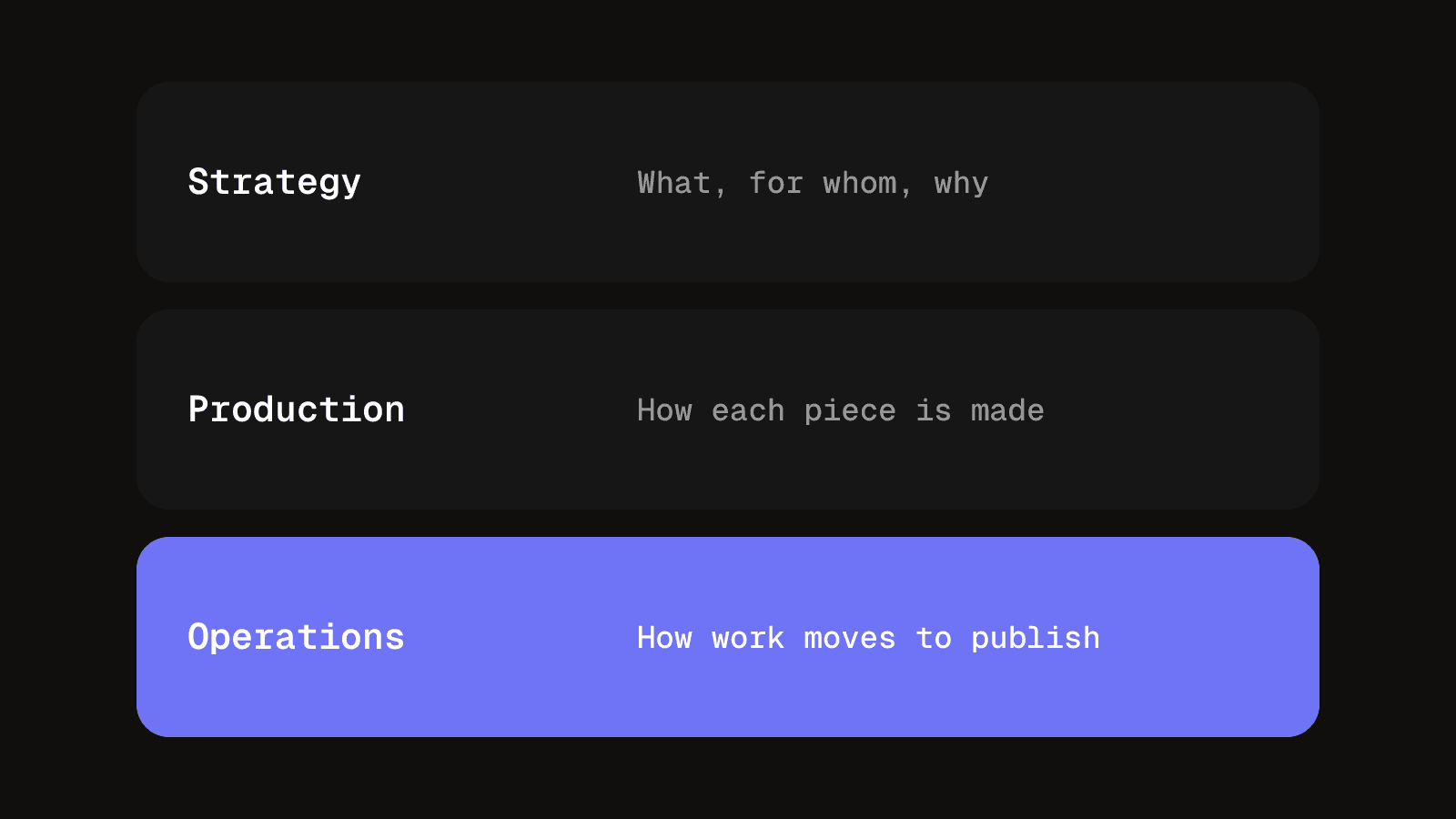
A strategy can be excellent and still fail every month if approvals sit in an inbox and nobody knows which draft is current. Production is the making: writing, filming, editing, design. Its capacity is fixed each week, and operations is what stops that capacity being spent on rework, lost versions and chasing sign-off.
The split tells you where to look when something is late. If the plan is vague, you have a strategy problem. If the plan is clear and the work is still late, look for a bottleneck in review, a piece with no owner or a file nobody can find. A stronger editor will not fix those.
Creative operations is mostly a different name
NewEngen describes creative operations as the management of the people, processes, technology and performance insights behind creative work, and its guide to creative operations frames it as what turns strategy into effective output. The term is more common in in-house brand and design teams, with more weight on briefs and brand approvals. For a small agency the difference is vocabulary. Use the word your team already understands and do not buy two sets of tools for two names.
The minimum stack, and who owns each part
Do not start with a platform. Start with four things, each with one home and one person responsible for it.
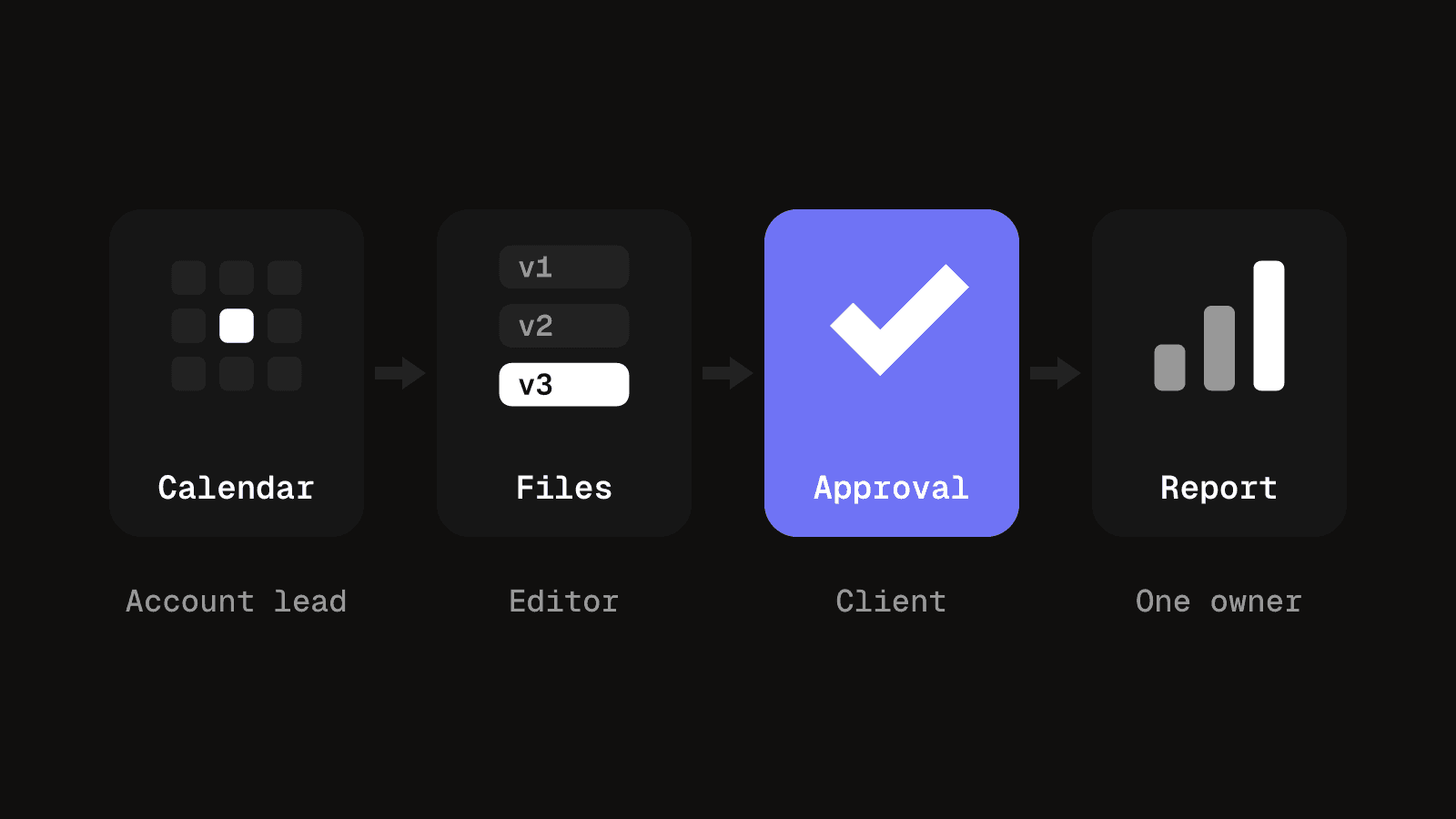
- One calendar, owned by the account lead. Every piece has a client, a channel, a publish date and a status. A shared calendar is enough at low volume, and the guide to a content calendar across multiple clients covers keeping one usable when several clients share it. The content calendar template is a practical place to begin.
- One place for files and versions, owned by the editor or producer. Each piece has a single record, numbered versions that only go up, and one link everyone uses.
- One approval record, kept by the account lead. For each version, a yes or no, who gave it and when. A dated line on the record is enough. The point is that "approved" is a fact you can point to.
- One report, owned by whoever reviews the calendar weekly. A short monthly summary of what shipped, what was late and how posts performed, filled from the calendar, not from memory.
Then name one person as owner of the whole system, even for a few hours a week. Without that name, the job falls to whoever is most irritated by the mess.
What the owner of the system actually does
The owner is a role, not a job title or a new hire. In a small agency it is usually the producer, the account lead or the founder. They do not do every part. They make sure each part still happens.
- Run the weekly review. Fifteen minutes on what is late, what is waiting on a client and what is next week.
- Keep the four homes honest. If a version turns up in a chat thread, it goes back on the record.
- Close gaps. When a piece has no owner or a client approval is stuck, they chase it or reassign it.
- Decide when to add tools. They change the setup only when a recurring problem justifies it.
What to measure
Keep operational measures separate from post performance, so a bad month for a post is not mistaken for a bad process.
| Measure | What it tells you |
|---|---|
| Throughput | Pieces published compared with what was planned. |
| Cycle time | Days from request to publish. A rising figure usually points to a bottleneck. |
| Revision rounds per piece | A high count often means a vague brief or feedback in an unusable form. |
| On-time rate | The share published on the planned date, which is the figure clients feel most. |
For channel results, the analytics feature reports across platforms, and the engagement rate calculator gives you one definition to apply to every client. If cycle time rises for one client, check whether their approvals are the holdup before you blame the editor.
What a working system gives you
The gains are practical and show up in the week, not in a quarterly report.
- Fewer missed posts. The calendar shows what is due and who has it.
- Fewer lost versions. There is one current cut, and the older ones are labelled.
- Faster sign-off. A recorded decision ends the argument about what was agreed.
- Reports that do not take a day. The numbers come from the calendar, not from memory.
- Easier handovers. A new starter or a freelancer can see what is in flight without asking.
- A clear view of capacity. You can tell when the team is full before you promise another client a date.
Tool categories, and when each is enough
Pick tools by the job they do, not by the name. Most small agencies need only the first two rows at the start.
| Category | What it means for a content team |
|---|---|
| Shared calendar or spreadsheet | One list of every piece with client, channel, date and status. Enough at low volume. |
| Task or project board | Who is doing what this week. Useful once several people work on the same client. |
| File storage and review | Numbered versions, comments on the file and one link for the client. |
| Scheduling and publishing | Approved posts go out at the planned time without a manual upload. |
| Analytics and reporting | Results from each channel in one place, ready for the monthly summary. |
A calendar and a way to store and review versions cover most agency client work. Add the rest when a weekly problem names them.
What AI tools do and do not do in the process
AI tools can take on some of the repetitive work in a content process. They can draft caption options, transcribe a video, summarise a long feedback thread, suggest tags and write a first pass of a report summary.
They do not own any step. They do not decide what is approved, resolve feedback that conflicts, know a client's preferences unless someone tells them, or notice that a deadline is slipping. A person reads whatever they produce before it goes near a client.
The process rules stay the same. An AI-assisted draft is still a version with a number, it still needs a recorded approval, and the owner of the system is still the person who checks that those steps happened.
When the informal system has stopped working
Before volume rises, extra process slows you down. A two-person team can review the week in a fifteen-minute Friday meeting, and anything more elaborate wastes time. Watch for signals rather than a headcount:
- Late or missed posts most weeks. Nobody notices until the client asks.
- Versions in several places. The current cut is in a chat thread, a shared folder and somebody's downloads.
- Nobody knows what is in flight. Finding the Tuesday reel takes a phone call.
- Feedback in five channels. Email, voice notes and screenshots in a text message.
- Reporting takes a day. The numbers are assembled by hand and out of date when sent.
- New starters spend their first week finding things.
One is a bad week. Two or three that keep recurring mean the system is the problem and extra effort has been covering the gap. If the spreadsheet is what keeps breaking, when spreadsheets stop working for video sets out where it strains and where it still wins. If none of these apply, keep it simple.
Questions people ask about content operations
It is the way a team plans, makes, approves, publishes and measures content so that it happens reliably. It covers the people involved, the steps they follow and the tools that hold the records.
Strategy decides what to make, for whom and why. Operations decides how that plan gets finished and out the door on time. A good strategy still fails when approvals stall or versions go missing.
One named person, usually the producer, the account lead or the founder. They spend a few hours a week checking that each step still happens, and they are not expected to do every step themselves.
They need the basics: one calendar, one place for files and versions, one approval record and one report. They do not need a platform or a manager. Add more only when missed posts and lost versions become weekly problems.
AI tools can help with drafting, transcription and summaries. They do not replace the owner, the approval record or a person reviewing the output before a client sees it.
Run the calendar, versions and reporting from one place
Scheduled posts, numbered versions, client approvals and analytics in one workspace, so the operational layer is not rebuilt by hand each month.
See analyticsKeep reading
How to design an approval workflow that does not stall work
Design an approval workflow for any piece of work, a post, a cut or an invoice: choose the order, name one decider, lock the version, copy the template.
8 min read
Content approval process: stages, roles and client sign-off on social posts
A content approval process for agencies: stages, roles, a copyable template and client sign-off on social posts, with batches, a silence rule and a record.
9 min read