
Content approval process: stages, roles and client sign-off on social posts
A content approval process is the route content takes to one named person's yes. It needs four things: stages with a named owner and a finish line, approval tied to one specific version, batched sign-off with a deadline, and a record you can point to. Approve captions with the asset they belong to, and agree in advance what silence means. For one client and a few posts a month, a shared document and an email can do all of it.
What a content approval process is, and how it differs from review
A content approval process is the agreed route a piece of content takes from finished draft to a named person's yes, before it is published. It is made of stages, the people who own them, a deadline for each round and a record of what was approved. Written down, it is your content approval workflow.
Review and approval are different jobs. Review is anyone giving notes: a colleague spotting a typo, a client asking for a shorter intro. Approval is one person with authority saying the version in front of them can go out. Many reviewers can give notes, but each piece of content needs a single approval, attached to a specific version.
For an agency this matters most on social media client approval, where the client is outside your tools, several people have opinions and the post goes live in public. The rest of this article covers the stages, the roles and the records that make that sign-off hold. For the general mechanics, see how to design an approval workflow.
Client approval is harder than internal approval
Internal review happens inside tools your team already shares. Client approval differs from internal approval in three ways.
- The client sits outside your tools. They approve from their inbox or phone, between meetings, and have no reason to learn your system. Whatever you choose has to work for someone who only opens a link.
- They approve more than quality. A client signs off on brand, tone and any claim about their product, and some of those checks belong to people who never appear in your emails.
- Approval is what you point at when something goes wrong. If a post states the wrong price or uses an unlicensed clip, the first question is who approved it, in what form, and on which version. A thumbs-up in a chat app is a weak answer.
A content approval process needs five stages
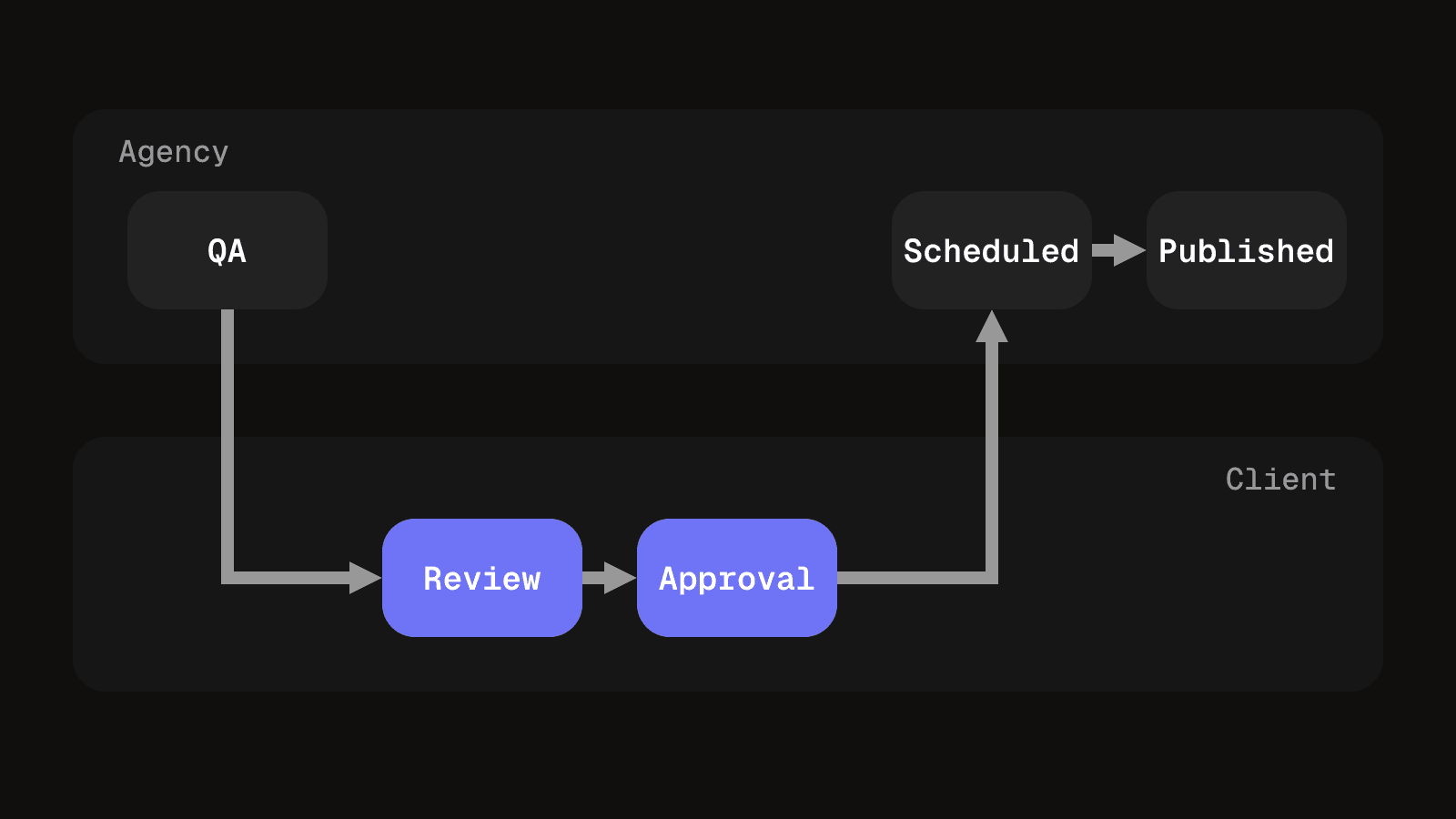
Keep the stages few and make each one end with something you can check. Internal QA is the one busy teams skip, and it stops a client spending their review on typos.
| Stage | Who approves and what counts as done |
|---|---|
| Internal QA | Producer or editor. Done when the asset matches the brief and platform specs, the caption is proofread, and every link and tag is checked. |
| Client review | The client's named reviewer. Done when one consolidated set of notes has come back by the deadline, each pointing at a timestamp or a line of copy. |
| Client approval | The signer, in writing, naming the version. Done when a message exists that says, in effect, 'approved: v3 with caption B'. |
| Scheduled | You. Done when the approved asset and caption are attached to a publish slot and neither has changed since. |
| Published | You. Done when the live link is recorded against the version, and any later edit is logged. |
A template you can copy
Paste this into a document or spreadsheet and fill in one row per stage. Set the deadlines once per client, then reuse the table for every round.
| Stage | Owner, deadline, done when |
|---|---|
| Internal QA | Owner: producer or editor. Deadline: one working day before the batch goes out. Done when the asset, caption, links and tags are checked against the brief. |
| Client review | Owner: the client's named reviewer. Deadline: the review day agreed with the client. Done when one consolidated set of notes has come back. |
| Client approval | Owner: the signer. Deadline: same day as review, or the date in the agreement. Done when their written yes names the version. |
| Scheduled | Owner: you. Deadline: before the publish slot. Done when the approved asset and caption are attached and unchanged. |
| Published | Owner: you. Deadline: the publish time. Done when the live link is recorded against the version. |
| Approval record | Owner: you. Deadline: filled in as each stage completes. Done when the row holds the version, the client's exact words, the notes and how each was answered. |
Decide who approves what before the first post
Name three roles on the client side, and write them down.
- Brand. Usually a marketing lead. They check tone, visuals and whether the post sounds like the company.
- Legal or compliance. Needed for claims about results, health, finance, pricing or competitors. Ask whether a legal reviewer exists and how long they take, because that time belongs in your schedule. If there is none, get that stated in writing, so the gap is theirs to own.
- The signer. The one person whose yes counts, who is often not the person giving the most notes. If two people can approve, decide whose yes is final.
Agencies get into trouble when the signer is unclear. A note from a junior marketer gets treated as approval, and the senior person objects to the same post later.
An approval belongs to one version
An approval attaches to a specific file, caption and link set under a version number, not to the post as an idea. Any change afterwards makes it stale: a re-cut, a new thumbnail, a caption edit, a swapped hashtag or a changed link. The new version needs its own yes.
Teams resist this because small changes feel harmless, and a caption fix that is obviously fine is exactly how a post goes out unseen. The client video review process covers naming versions and why numbers should only go up. Apply the same discipline to images and carousels.
Send the caption with the asset
A client who approves a video and never reads the caption has approved half the post. Put the caption, hashtags and link in the same message as the asset and ask for one yes to the package.
If the caption follows later, it becomes a second approval with its own deadline, and the post goes out with an approved picture and an unreviewed sentence. Check length against each platform first with the caption length checker, so the client is not reviewing copy that will be cut off. YouTube Help states that video descriptions have a limit of 5,000 characters.
Batch approvals weekly, unless the post is time-sensitive
- A weekly batch. Collect the week's posts into one message with one deadline. The client reviews in one sitting and you get one consolidated reply. This suits steady, scheduled content and clients with a predictable review day.
- One at a time. Send each post as it is ready. This suits a reactive post, a news hook, or a post with legal exposure that needs its own reviewer and time.
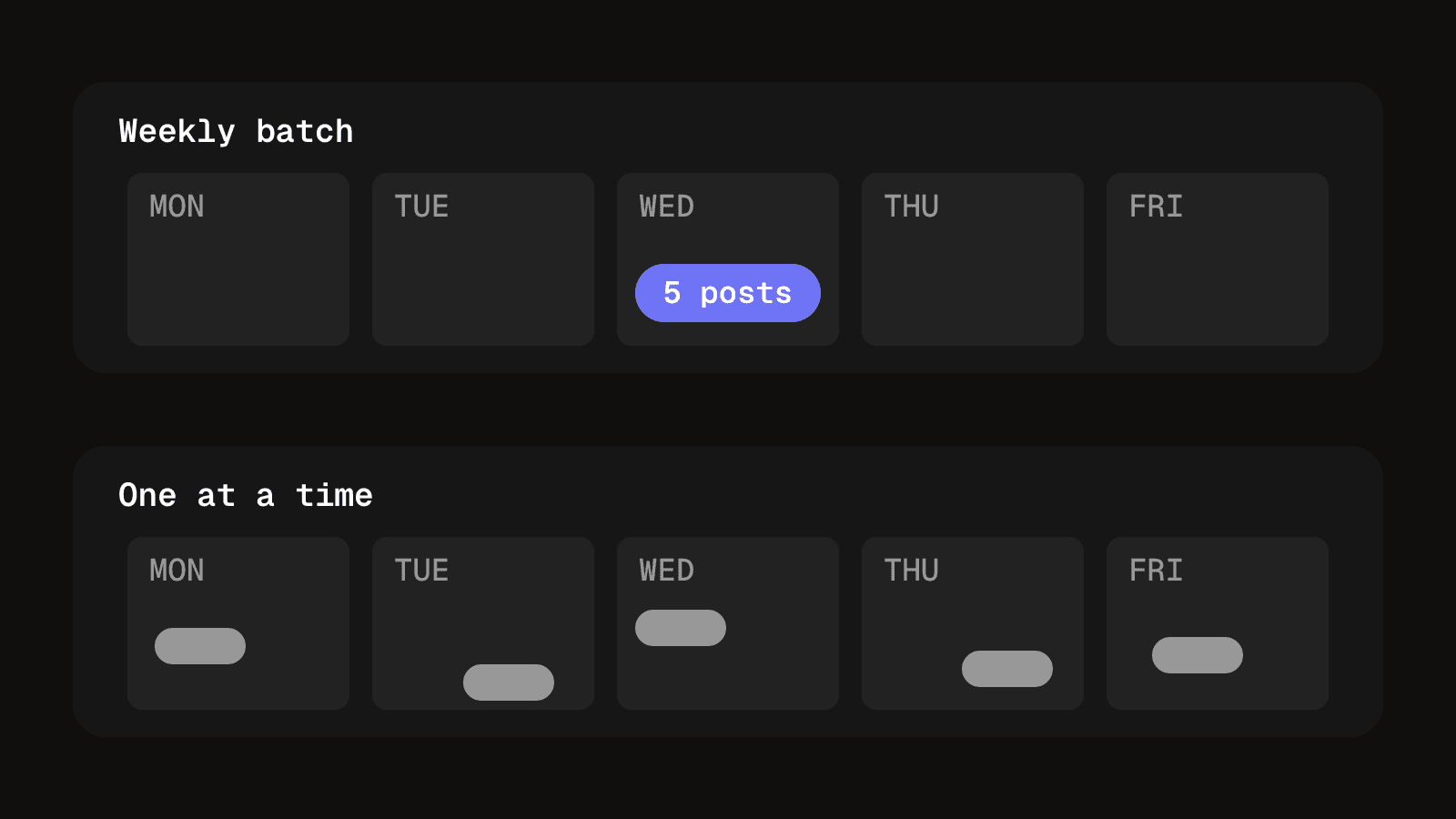
A batch has a limit. If it holds more posts than a reviewer can read carefully in one go, approvals get faster and worse. Keep it to a size the signer can finish and move the overflow to the next round. Building a content calendar across clients shows how to work back from publish dates to the batch deadline.
Set a deadline, and agree in advance what silence means
Every round needs a deadline and a rule for when no one replies. Silence is not approval: the client may not have seen the message, may be waiting on legal, or may reply tomorrow.
The one honest exception is an auto-approve window, agreed in writing before the first post: a version goes out as planned unless notes arrive by a stated time. Three conditions make it hold up.
- It is in the agreement, not in a reminder. It has to exist before the post does.
- It covers routine content only. Keep claims, legal lines and pricing out of it and move their date instead.
- The record says auto-approved, not approved. They are different facts, and nobody should later mistake one for a signed-off yes.
Keep an approval record
The record answers one question: who approved this, and what did they see? For each post, keep:
- The post identifier and version number.
- The asset, caption, hashtags and link that were approved, or a copy of them.
- Who approved it, when, and their exact words.
- Any notes received, and how each was answered.
- The publish time and live link.
Paste the client's reply into the row, not your summary of it. A paraphrase is your interpretation, and a quote is their wording.
When a shared document is enough
For one client and a few posts a month, a folder of versioned files, a row per post, approvals quoted into the row and a calendar alongside is a complete setup. Add software when several clients and approvers share the same week and the document starts to disagree with the inbox, as spreadsheets stop working for video describes.
Questions people ask about content approval
It is the agreed route content takes from finished draft to a named person's sign-off before it is published, with an owner, a deadline and a record at each stage.
Review is notes from anyone who looks at the work. Approval is one authorised person confirming a specific version can go out. Treat a note as review until the signer says yes in writing.
As few as keep the risk covered. For client social posts, five stages are usually enough: internal QA, client review, client approval, scheduled and published. Add a legal step only for content that makes claims.
Your producer or editor for internal QA, and on the client side a brand reviewer, a legal or compliance reviewer where claims are made, and one signer whose yes counts.
It stops unreviewed content going live, keeps rounds of feedback from dragging on, and gives you something to point at if a client later disputes what they approved.
Not always. For one client and a few posts a month, a shared document and email can hold the whole process. Software helps once several clients and approvers share the same week.
Client sign-off without the chasing
Every post, asset and caption is approved as one version, with the approver and the time recorded beside it, so the record is never a search through your inbox.
See client review and approvalsKeep reading
How to design an approval workflow that does not stall work
Design an approval workflow for any piece of work, a post, a cut or an invoice: choose the order, name one decider, lock the version, copy the template.
8 min read
What is a client portal? A guide for agencies
A client portal gives each client one private view of their own work. See what it is, how to keep it secure, how to set one up and when to skip it.
10 min read