
Video collaboration: the jobs a setup has to do when nobody is in the room
Video collaboration here means production review: moving footage, feedback and approval between an editor, a producer and a client who are not in the same room, not live calls. A setup has to do six jobs: assets, one current version, timestamped notes, handoffs, approval and delivery. A shared drive and a chat thread are enough for small, simple work.
What video collaboration means, and which meaning this covers
Video collaboration is the work of getting a video made and approved by people in different places. The term has two meanings, and search results mix them.
- Live collaboration over video. People meet on a call, share a screen or watch a stream together in real time. This is closer to video conferencing, and it is not what this article covers.
- Production review. Footage, cuts, notes and approvals move between an editor, a producer and a client, usually without anyone being online at the same time. This article covers this meaning.
The difference from video conferencing is timing. A call needs everyone present at once and leaves no record on the file. Production review is asynchronous and the record sits on a specific cut. Many agencies use both, a call to talk through big changes and a review link for the notes that must be tracked.
Why video is harder to share than documents
A document can be edited by three people in one file, with changes shown inline. Video differs in four ways.
- The files are large. A full-resolution export is slow to send and often blocked by email or chat.
- Versions are whole re-exports. A new cut is a new render, not a tracked change. Nothing shows what moved between v2 and v3 unless someone wrote it down.
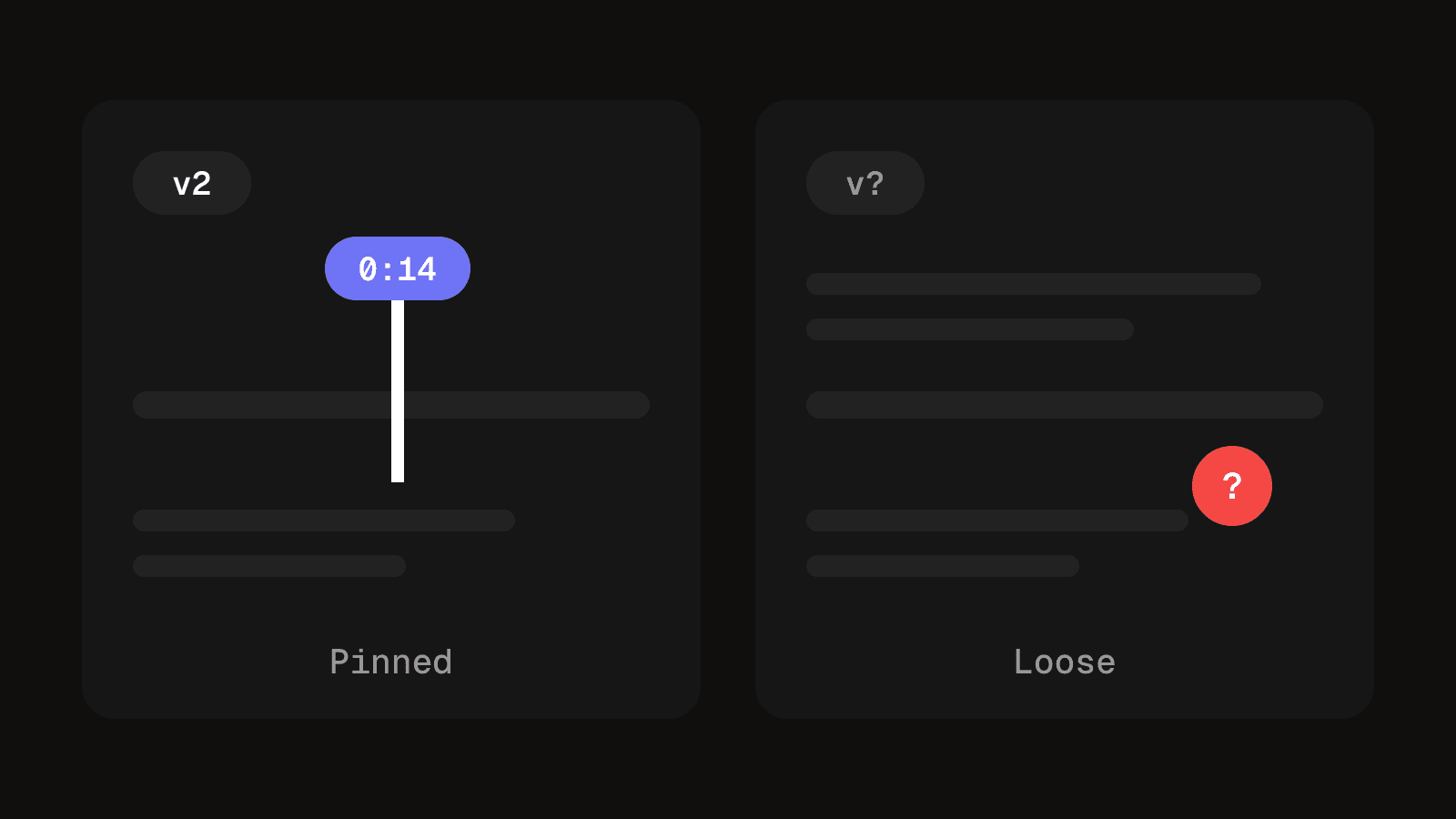
- Feedback needs a position in time. "The middle drags" is useless on a forty-second cut. Timecode labels every frame by hour, minute, second and frame, so it is the one address the editor, producer and client can all point at.
- Playback depends on the machine. Frame rates and codecs differ, so the same file can stutter on one laptop and fail in another app. A reviewer who cannot play the cut properly gives vaguer notes.
A wrong cut costs a render, an upload and a round of confused feedback, which is why the position and the version both have to travel with a note.
The six jobs, and who does each
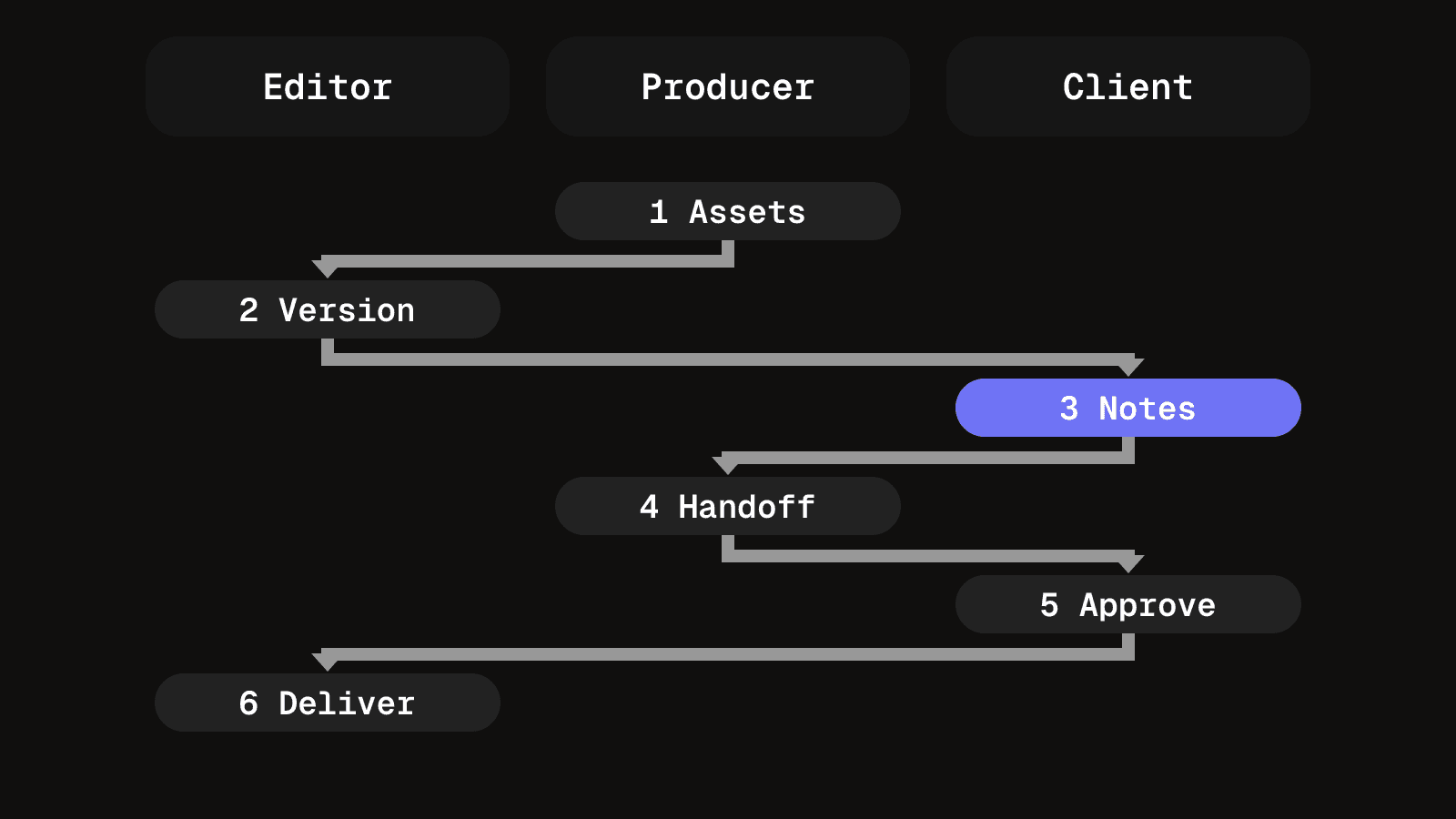
Judge any setup by whether it does all six. Most do the first two and quietly fail the rest.
- Get footage and assets to the editor. Raw clips, brand files, fonts, music licences and the brief all need to reach whoever is cutting, with one stated place for the source.
- Keep one current version. Not "the newest file in the folder" but a named cut everyone links to, with older cuts still reachable.
- Review with notes tied to a timestamp and a version. A note says where, which cut, and whether it is still open.
- Hand work between roles. The editor exports, the producer checks the cut against the brief, the client watches it. Each handoff moves ownership of the next action. Where that is unclear, a cut sits for days with everyone assuming someone else has it.
- Approve a specific cut. The approval names a version and is recorded where the video lives, not only in the inbox where it arrived. The client video review process covers running the rounds.
- Deliver the finished file where it publishes. Each destination has its own export specification. The social media video specs list the common ones.
What video collaboration tools add beyond the jobs
Most products cover jobs one to three well. When you compare them, test with a real cut and check what the jobs list does not already cover.
- Comments that survive a re-export. A comment should stay attached to its moment and its cut, and a range should be possible as well as a single frame.
- An honest review copy. If the reviewer watches a compressed proxy, the tool should say so and link to the full file. Otherwise the client approves timing that differs from what publishes.
- Reviewers without a paid seat. If a client must sign up to leave a note, they will email feedback instead, which is the failure you set out to remove.
- A way back into the editing app. Notes that can be read against the timeline save retyping every timecode and avoid mistyped frames.
Purpose-built review tools are strong on the feedback loop and weaker on the brief, the schedule and delivery checks around it.
The editor's side is separate. Project files and graded media often sit on one machine, so a second editor cannot open them. Most teams only need to hand over a finished export and the project file, with source media in one agreed place. Real-time shared timelines matter only if two people cut the same one in turns.
Named tools, by category
Each tool below was checked on the vendor's own page, so treat the descriptions as the vendor's claims and test with a real cut. Plans, seats and storage change, so check the current plan before you choose.
| Tool and category | What it does and one limit |
|---|---|
| [Frame.io](https://frame.io), review and approval | Creative review for video, design and marketing teams, with feedback, sharing controls and a Premiere integration for frame-accurate notes. Limit: plans cap members and storage, and some sharing controls, such as invite-only links, sit on the top plan. |
| [Filestage](https://filestage.io), review and approval | Proofing for video and other assets, with version tracking, one-click decisions, due dates and reminders, and integrations with project tools. Limit: the page does not say how timestamped video comments work, so test that first. |
| [Vimeo review](https://vimeo.com/features/video-collaboration), review and hosting | Timecoded comments, version history, status labels and guest comments without a Vimeo account, plus hosting for the final file. Limit: video review is not on the free plan. |
| [Loom](https://www.loom.com), asynchronous recording | Records your screen and camera for a teammate to watch later, with comments and transcripts. Limit: the page does not mention versions or approvals, so it explains a change well but does not track a cut. |
| [Evercast](https://www.evercast.us/), live remote sessions | Streams an editing workstation or a video file into a shared virtual room, with chat and time-stamped notes. Limit: sessions are invite-only and live, so it suits a review call, not a record of approvals. |
Against the six jobs, the review tools cover notes, versions and approval, and Vimeo adds delivery by hosting the final file. Loom and Evercast help people talk, not track. For agency client work, a review tool is the usual fit, with a call tool alongside.
What to check before choosing
- Reviewer access. Can a client comment without creating an account?
- Security. Look for password or email-verified links, expiry dates and a download switch.
- Editing app link. Check which editors the notes sync with.
- Plan limits. Seats, storage and which features sit on which plan.
- Hand-off to the rest of the work. Check whether briefs, schedules and publishing live in the same place or in another tool.
When a shared drive and a chat thread are enough
For one editor working with one or two clients, one round of feedback and a few cuts a week, a shared folder and one thread are a reasonable setup. Three rules make it work: name every export with a version number that only goes up, ask for a timecode in every note, and put the approval in the thread with the version written in it.
It stops holding up when one person handles several clients, cuts run in parallel, or the producer must answer "which file did the client approve" from memory. If tracking has already moved into a sheet, when a spreadsheet stops working for video lists the signs the strain is structural.
Three setups and where each breaks
| Setup | Where it breaks |
|---|---|
| Shared drive plus chat | Versions are separate files named by hand, so the current cut depends on who you ask. Feedback arrives as a typed timestamp with no link to the frame, and the approval sits in the chat, not on the file. |
| Dedicated review tool | Notes and versions are solid, but the brief, the schedule and the publishing step live elsewhere. The editor re-exports and uploads delivery files by hand, so the approved and published versions can drift apart. |
| Production workspace with review built in | Review is only as good as the workspace's own video handling. Check that comments pin to frames, older cuts stay reachable and the export step is in the same record. Editing still happens in a separate app, and a tool that does everything can be heavier than a freelancer needs. |
Fix the job that hurts most first
Most teams need to fix one handoff, not replace the setup. If feedback arrives untimed, change the review rule before the tool. If nobody can tell which cut is current, fix version naming and the link rule. If delivered files keep being the wrong size, the problem is the export step, and no review tool will solve it.
Keep one place for status, even a simple tracker. The video production tracker shows the stages a cut moves through, in a sheet or in software.
Questions people ask about video collaboration
Conferencing is live: everyone is on a call at once. Production review is asynchronous and attaches notes and approvals to a specific cut. Many teams use a call for big decisions and a review link for tracked notes.
It depends on the tool. Vimeo says guests can comment without a Vimeo account. For others, the vendor pages checked here do not say, so test it as a client would before you commit.
Rarely in a useful way. Project files and graded media usually sit on one machine, so most teams hand over a finished export and the project file. Live sessions let people watch an edit together, which is not the same as editing together.
For one editor and one or two clients with a few cuts a week, a shared folder and a thread are enough if versions only go up and every note has a timecode. Move to a tool when cuts run in parallel or nobody can say which file was approved.
Start with the job that hurts most, then test two tools with the same real cut. Check reviewer access, version handling, timestamped notes and plan limits, using the checklist above.
Some vendors offer a free plan, but features differ by plan. Vimeo's page says video review is not on its free plan, and Frame.io lists a free tier with small limits. Check the current plan page before you rely on one.
Notes and cuts on the same timeline
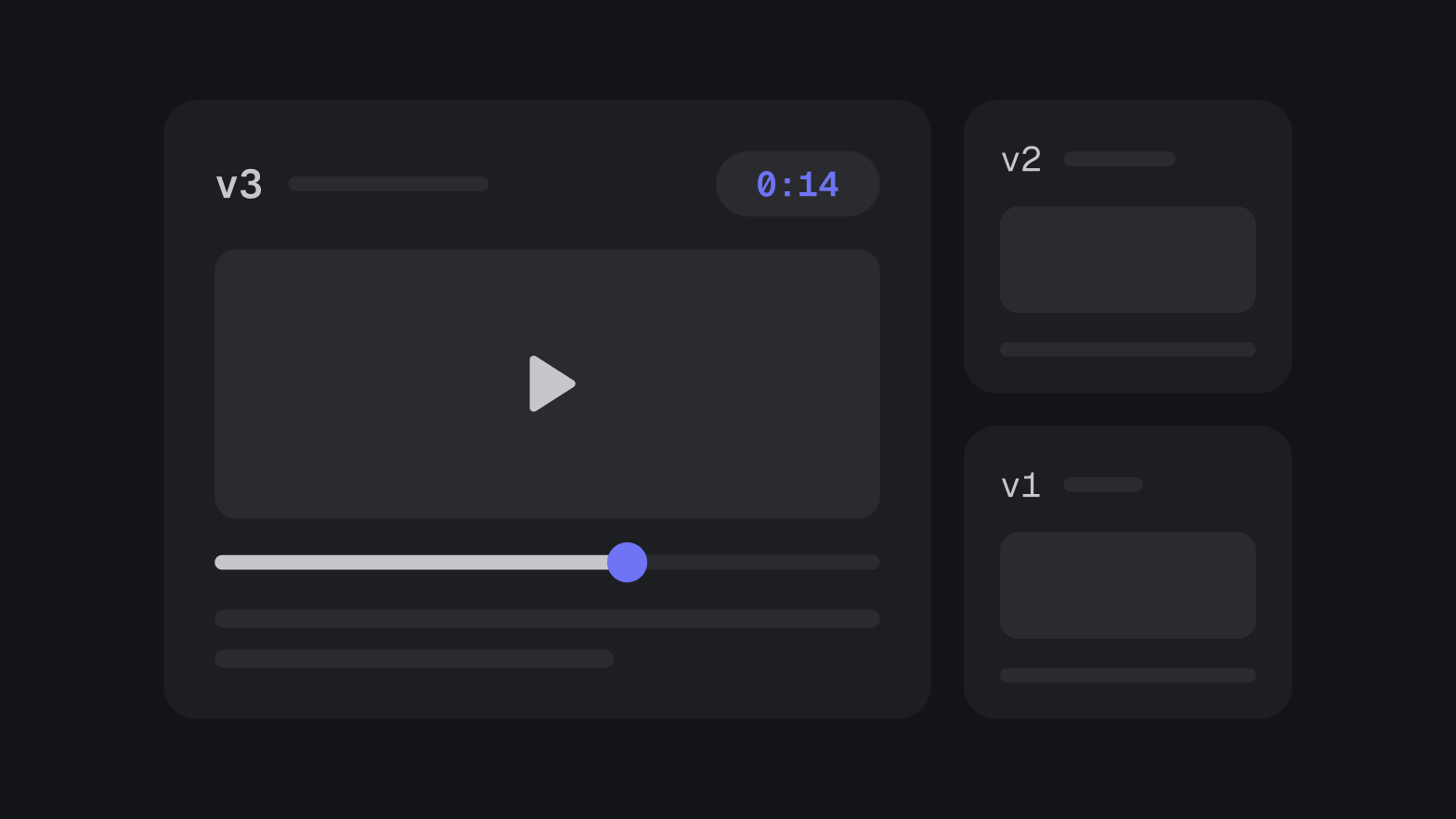
Every cut is a numbered version, and comments pin to a timestamp on that exact cut until you resolve them.
See media reviewKeep reading
A client video review process that doesn't lose feedback
How to run video review rounds that keep every note. Version naming that survives, timestamped feedback, and approval as an event you can point at.
8 min read
How to design an approval workflow that does not stall work
Design an approval workflow for any piece of work, a post, a cut or an invoice: choose the order, name one decider, lock the version, copy the template.
8 min read