
Content workflow: what it is and how to design one for several clients
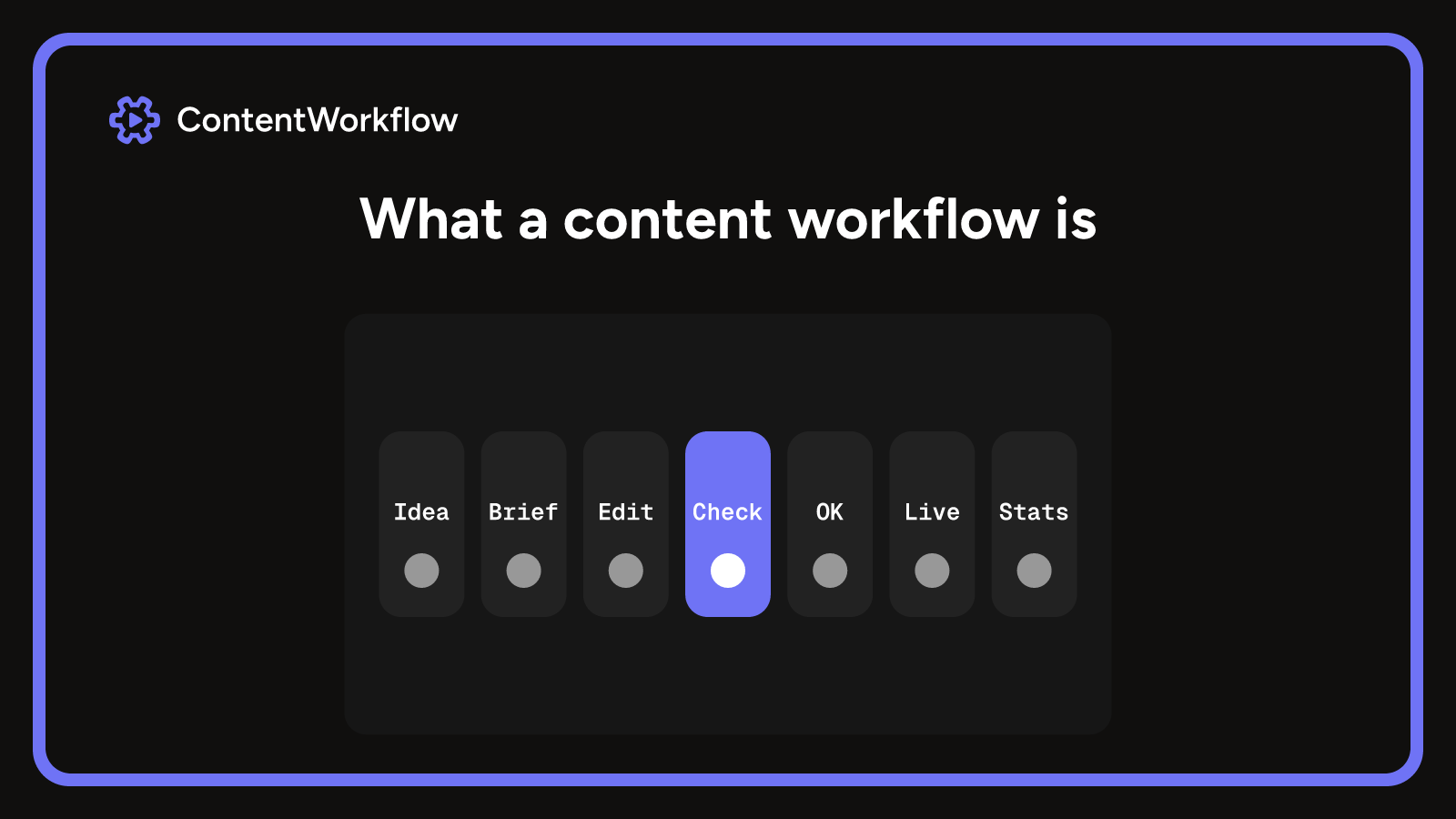
A content workflow is the agreed path a piece of content takes from idea to published and measured: named stages, one owner each, and a rule for every move. Agencies add a client sign-off stage, brand rules per client and one calendar across clients. Write it as a short table, run it on live work for a full cycle, then judge any tool by whether it enforces the rules.
What is a content workflow
A content workflow is the set of steps a piece of content follows from idea to published and measured, with one person responsible for each step. For a video or social agency, the piece might be a short film, a carousel or a caption, and the steps are the ones your team already runs: brief, create, edit, review, client approval, schedule, publish.
It is made of stages, owners and the rules for moving between them. That separates it from a process, which can describe how a single task is done, and from a plain to-do list, which records tasks but not where a piece stands. A workflow answers two questions at any moment: where is this piece, and who has to act next?
It also differs from a content management system. A CMS stores and publishes content. The workflow is the agreement about who does what before anything reaches it, and it works the same whether the files sit in a CMS, a shared drive or a social scheduler.
The seven parts of a workflow
Seven parts cover it. When a workflow fails, one of them is usually missing or assumed.
| Part | The question it answers |
|---|---|
| Stages | Where is this piece right now? |
| Roles | Who decides when this stage is finished? |
| Handoffs | What has to be true before it passes on? |
| Assets | Which files, and which version, are current? |
| Approvals | Who signed off, on which version, and when? |
| Publishing | Where and when does it go out, from which approved version? |
| Measurement | What is recorded afterwards, and who reads it? |
Keep stages to the states that change who does the work. A status that changes neither the owner nor the next action can go. Several people can contribute to a stage, but one decides when it is done.
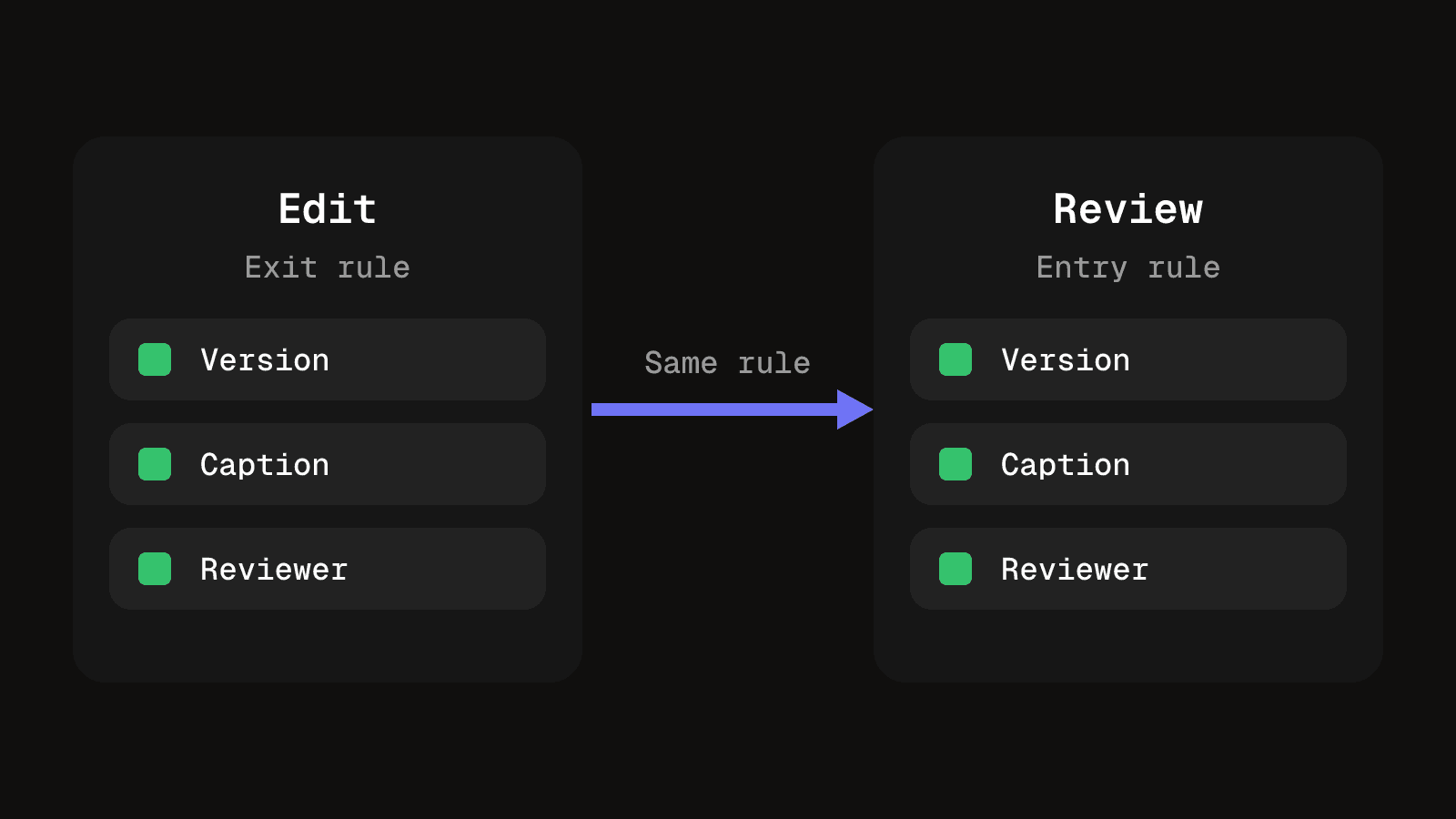
The handoff is where most of the value sits. The exit rule of one stage is the entry rule of the next, and both are written down once. The Kanban Guide asks for the same thing in its definition of workflow: explicit policies for how work items move through each state. "Edit complete, with a version number and a caption draft" is a rule. "Feels ready" is not.
The stages from idea to measurement
For agency client work, the stages below cover most pieces. Rename them to the words your team uses.
| Stage | What it means for a content team |
|---|---|
| Idea | A topic or request is captured against a client, with a reason it is worth making |
| Brief | Format, channel, message, references and deadline are written down and agreed |
| Creation | The first draft, shoot or design is produced by the owner of the piece |
| Edit | The piece is finished to the brief and given a version number and a caption draft |
| Review and approval | Internal checks, then the client signs off one named version |
| Scheduling | Channel, date and time are set against the shared calendar |
| Publishing | The approved version goes out where and when it was scheduled |
| Measurement | Results are recorded and read by the person who can act on them |
Most agency work needs all eight, because the client approval and the shared calendar are what separate it from in-house publishing. A solo creator with no client can merge brief and creation, and drop approval.
Task-based and status-based workflows
A task-based workflow moves through a list of jobs: write the brief, shoot, cut, check the caption. A status-based workflow moves the piece itself through named states, and each state tells you who owns it and what happens next.
| Type | What it means for a content team |
|---|---|
| Task-based | A checklist of jobs per piece. Good for one-off work and for the steps inside a stage, weak at showing where fifty pieces stand. |
| Status-based | A fixed set of states, each with an owner and exit rule. Good for seeing every piece across clients at a glance, weak if the states are vague. |
For agency client work, use status-based stages for every client and keep task checklists inside the stages that need them, such as a caption check at review. The stages carry the handoff rules above, and the checklists stop small jobs being forgotten.
How an agency workflow differs from an in-house one
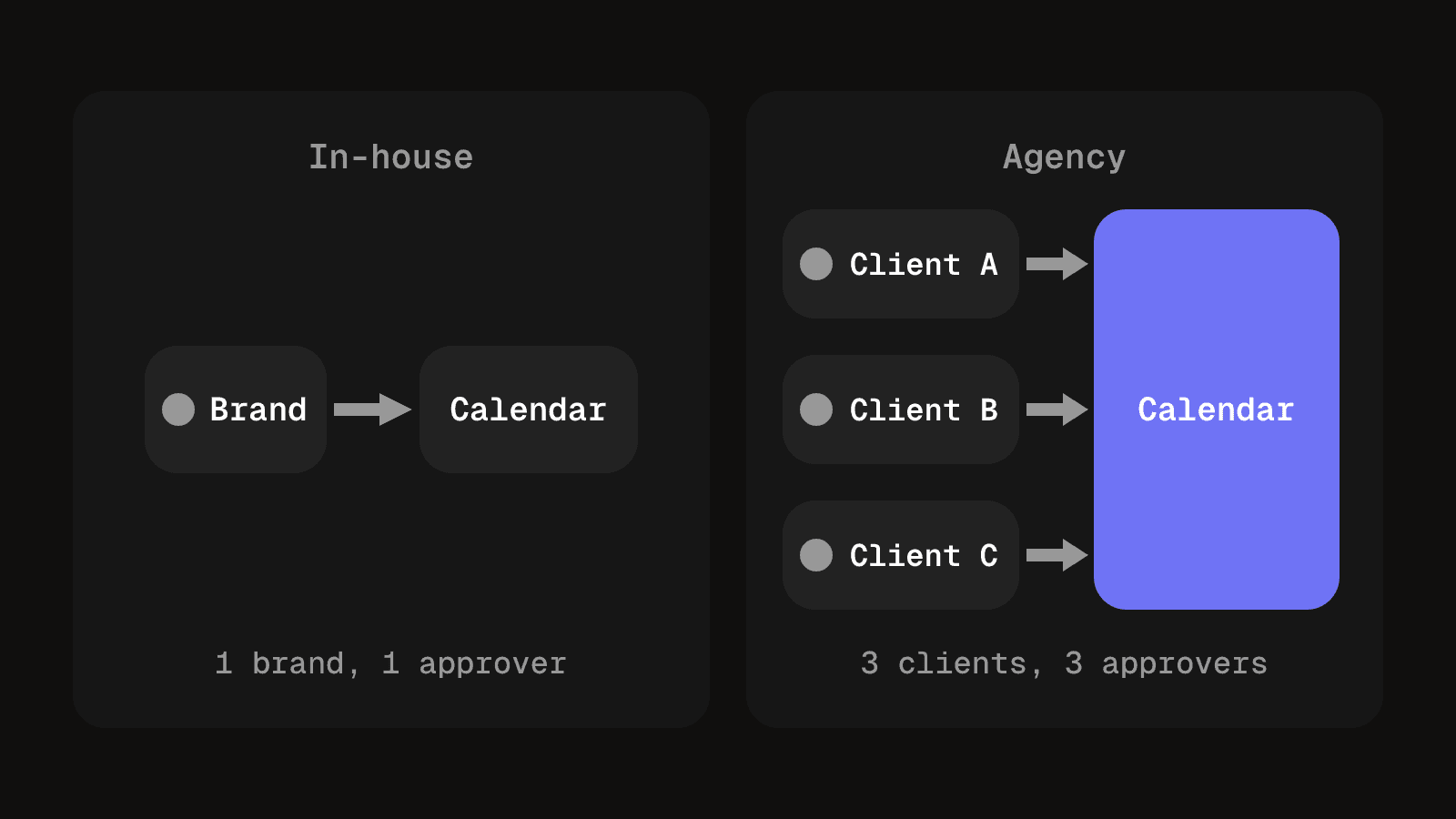
An in-house team has one brand, one set of approvers and one calendar. An agency has several of each, and the workflow has to keep them apart.
A client sign-off stage sits outside your team
In-house, approval usually means a manager down the corridor. In an agency, one stage belongs to someone who does not work for you. They may reply in a day or a week, and they judge the work against a brief they wrote months ago. Give that stage its own entry rule, exit rule and deadline, and decide in advance what silence means. How to run client review rounds without losing feedback covers the mechanics.
Brand rules belong to the client
Each client has its own tone, banned phrases, logo use, music licences and platform habits. Store them per client and name the stage that checks them, usually review or just before scheduling. Otherwise one client's rules get applied to another client's post.
One calendar answers for every client
An agency calendar has to show who has capacity, which client is waiting on you and which publish dates collide. Clients compete for the same editors and the same review slots, so separate calendars per client look organised until two of them need the same editor on the same Thursday. Building one content calendar that survives several clients sets out a layout that holds up.
Where workflows usually fail
- Too many stages. Fourteen stages look thorough and are rarely followed. People skip the ones that feel pointless, and the record then says a piece passed "Internal QA" when nobody looked. Start with the fewest stages that separate different owners, and add one only after a real mistake slipped between two existing ones.
- One word, two meanings. "In review" can mean the editor wants a look or that the client now holds the file. Define each stage by its exit condition in one sentence, then ask two people to explain it back. If the answers differ, the stage is not defined yet.
- Feedback stored in chat. Chat is a good place to discuss notes and a poor place to keep them. Decide where feedback is recorded at the review stage, and make that the only place it counts.
Write it down before you buy anything
A page or a sheet is enough. For each stage, write one row.
| Field | What to write |
|---|---|
| Name | The words your team already uses |
| Owner | One person, by role or name |
| Entry rule | What must be true before a piece arrives |
| Exit rule | What must be true before it leaves, stated so two people would agree |
| Send back | The stage it returns to when the exit rule fails, and who decides |
Then test it on live work. Walk three pieces, ideally across two clients, through the stages. Wherever you cannot name the owner or the condition that makes a stage done, the document is not finished. Run it for a full cycle, such as a month or one retainer period, before you judge it. Early changes usually fix a misunderstanding rather than a flaw in the design.
What software has to do for a content team
A board where cards drag between columns is not enough, because a document with the same stages does the same job. Software earns its place when it enforces the rules you wrote. Test a tool against four things:
- Files and versions stay with the stage. If the approved version goes out, the tool has to know which file that is.
- Feedback attaches to a version. A note on v2 must not look like a note on v3.
- Invalid states are refused. A piece should not be marked approved without a version, or scheduled without a channel and a time. A spreadsheet cannot enforce that.
- Clients stay separate but share one calendar. Permissions and brand rules per client, with every client's dates and every editor's load in one view.
Name the tool by what it is, not by brand. A shared calendar covers scheduling, a project board tracks tasks, a review tool holds versions and feedback, and a CMS publishes to a site. The question is whether one record ties them together or you reconcile four.
By team size, a solo editor with two or three clients can run on a sheet and a shared folder. A team of three to ten usually feels the strain at review and approval, so choose for versions and client sign-off first. Beyond that, calendar capacity across clients matters most.
With one client, a short list of stages and a clear owner, a shared folder may be all you need. Money and capacity sums often stay in a sheet even after the workflow moves, and when a spreadsheet stops working for video explains which parts outgrow one.
Questions people ask about content workflows
Idea, brief, creation, edit, review and approval, scheduling, publishing and measurement. Fewer is fine if each stage still changes the owner or the next action.
Say a client asks for a 30-second product video. You log the idea against the client, write the brief, then the editor creates and cuts it and issues v1 with a caption draft. Internal review sends it back once, v2 goes to the client, who approves v2 by name. You schedule that version for the agreed channel and date, publish it, and record the results.
For several clients, status-based, with task checklists inside the stages. The statuses show where every piece stands, and the checklists cover the detail.
A CMS stores and publishes content. The workflow decides who prepares, checks and approves it before it gets there, and applies even if you never use a CMS.
Yes. The stages are the same, with scheduling and publishing set to each platform and captions checked at review. Video needs version control more than text does, because feedback has to attach to a specific cut.
Write the workflow first, then test whether a tool enforces it: versions with the stage, feedback on a version, refused invalid states and one calendar across clients.
Stages, owners and approvals in one record
Clients, projects, content stages and approvals kept together, so the record of each piece lives where the work does.
See client and project managementKeep reading
Creative workflow management that keeps briefs clear and deadlines intact
Creative workflow management for small agencies: signed briefs, bounded revision rounds, separate compliance checks and the right file shipping.
10 min read
Project management workflow: how to build one for client work
What a project management workflow is and how to build one for client work: six stages, exit criteria, a diagram with two loops, an example and a template.
10 min read