
Project management workflow: how to build one for client work
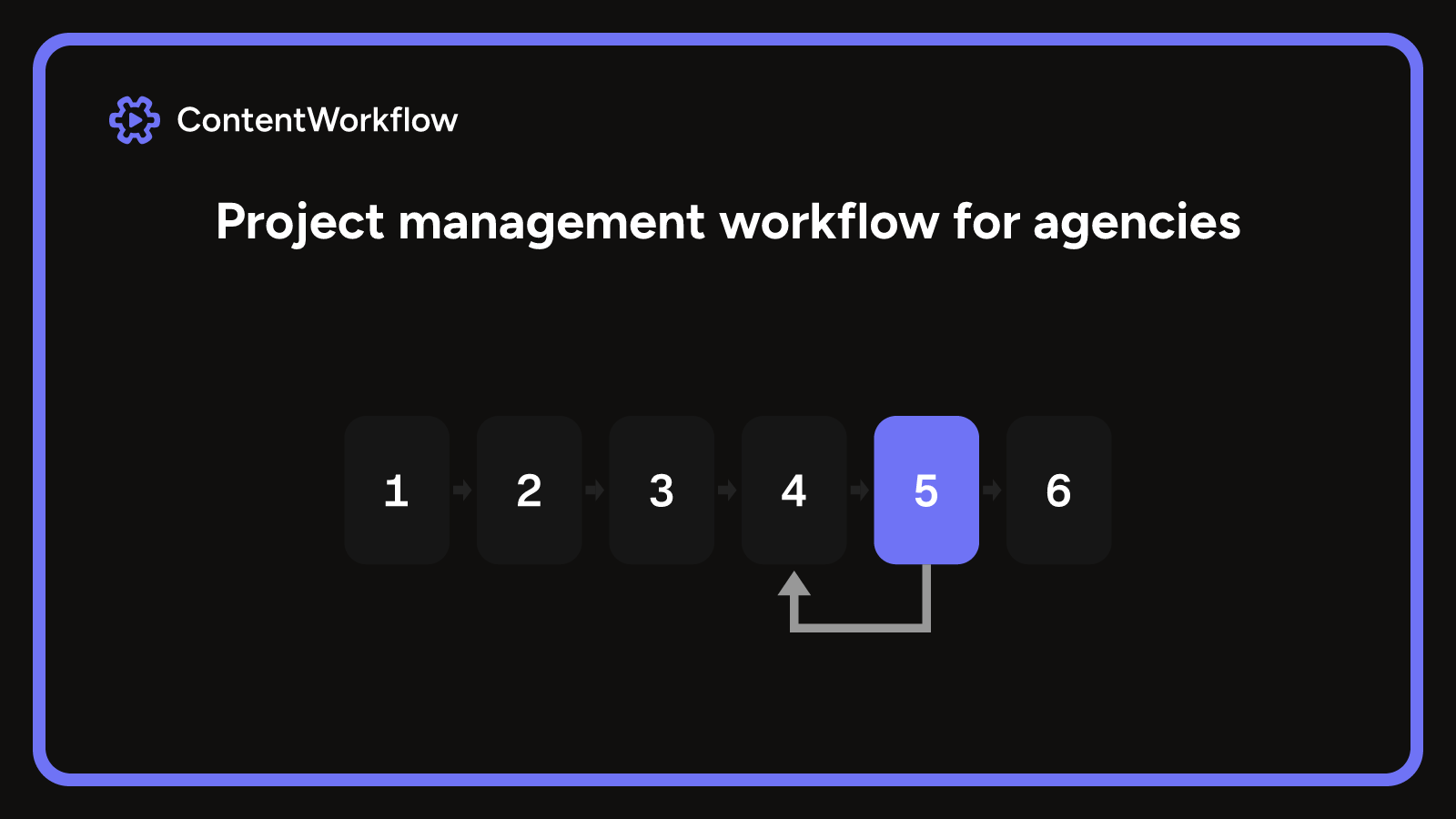
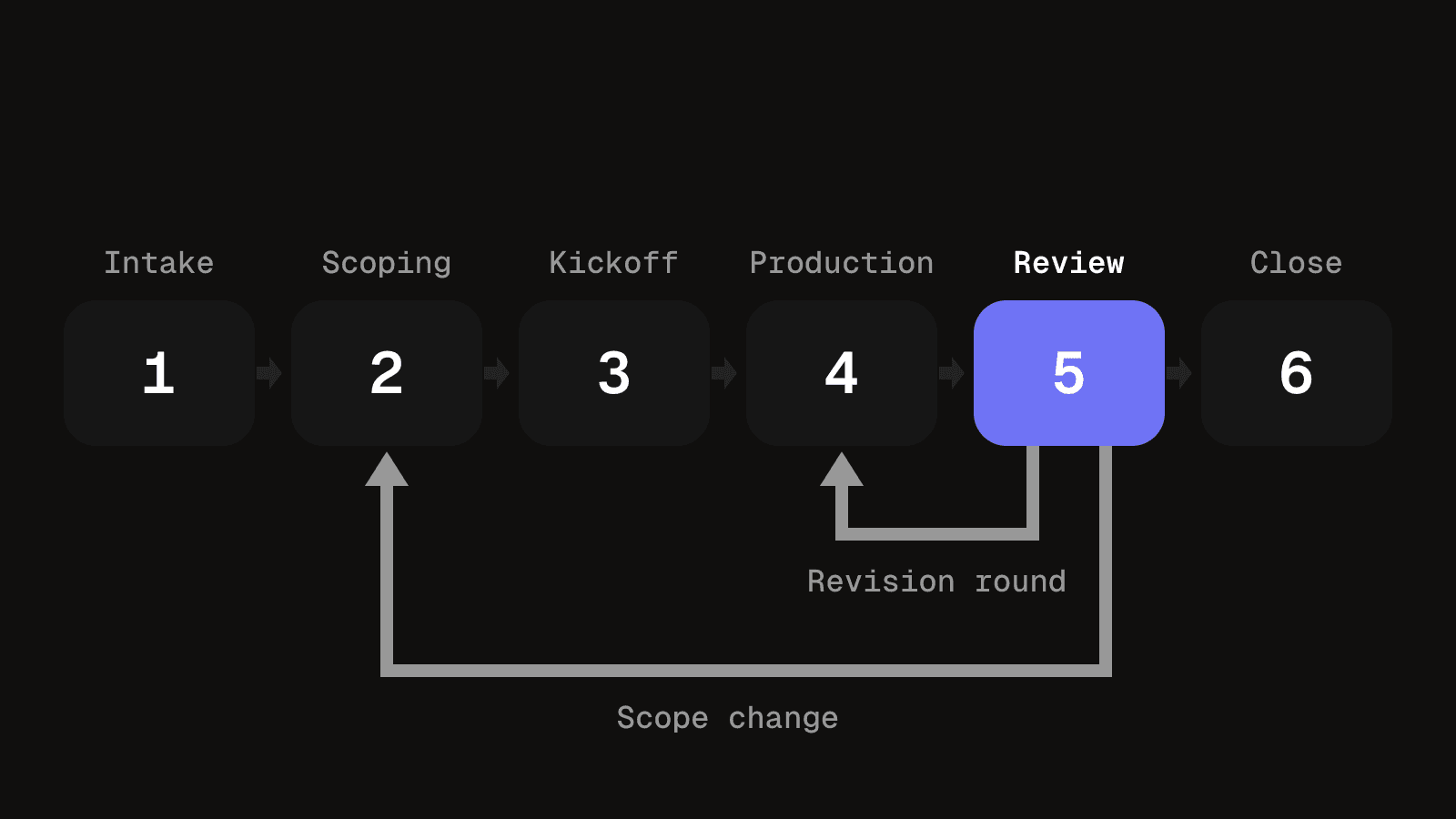
A project management workflow for client work has six stages, each with an exit criterion you can check: intake, scoping, kickoff, production, review, and delivery and close. Two loops are real, revision rounds and scope changes, and the chart should show only those. Map the stages to a kanban board and split Review into waiting on you and waiting on the client. Track rounds used, days waiting on the client and scope changes after kickoff. A five-person agency needs this written down once, not a project office.
What a project management workflow is
A project management workflow is the sequence of stages a project moves through from request to close, with an owner and an exit point for each stage. It answers one question: what happens next, and who does it.
It is not the project plan, which lists the tasks and dates for one project. It is not project management either, which is the work of running projects: scoping, staffing, chasing and reporting. The workflow is the repeatable route, and each plan is one trip along it. Task management is smaller again, the to-do items inside a single stage.
For a content or video agency the route is largely the same for every client, which is why it pays to write it down once.
Four types of workflow, and the one that fits agency work
| Type | What it means for a content team |
|---|---|
| Sequential | Each stage starts when the last one passes its gate. Simple to follow, but a late client approval holds everything behind it. |
| Parallel | Independent pieces move through the same stages at once, for example several videos in one campaign, each in its own review. |
| Kanban | Work flows across columns with limits on what is in progress. It suits retainers and a steady stream of small requests. |
| Hybrid | Fixed stages at project level, with a kanban board for the pieces inside Production. |
Agency client work fits the hybrid type. The project moves through the stages below in order, and the content pieces inside Production run in parallel on their own board.
Project and content workflows work at different levels
A content workflow follows one piece from brief to draft to review to publishing. A client project holds many of those pieces, plus the scope, the budget, the client's assets and the handover. If one board carries both, project questions such as who signed the scope or how many changes were absorbed unpriced get buried among the content cards.
The six stages of a client project
Each stage ends at a gate: an exit criterion you can check without asking anyone how they feel about it.
| Stage | Exit criteria |
|---|---|
| 1. Intake | Request logged with the client name, a one-sentence brief and the date it arrived. |
| 2. Scoping | Scope, deliverables, included review rounds and price agreed in writing by the client. |
| 3. Kickoff | Assets, access and contacts received, and review dates placed in the calendar. |
| 4. Production | Every planned piece has reached approved, or a change has been agreed in writing. |
| 5. Review | Final approval recorded against a named version, with no open change requests. |
| 6. Delivery and close | Files and publishing handed over, invoice sent, retro notes written and filed. |
Three stages need more than the table says.
- Kickoff. This is when the client's dates start to matter, so they go on the plan here, not later.
- Review. Each round ends with an approval or a list of changes, and each change is marked as in scope or as a change request.
- Delivery and close. The retrospective is the last step of this stage, not a separate phase, because it is a short conversation and not a body of work.
The six stages map onto the usual five-phase project lifecycle. Intake is initiation, Scoping and Kickoff are planning, Production is execution, Review is monitoring and controlling, and Delivery and close is closure.
A project management workflow diagram with its two loops
Read the figure left to right. The short loop returns from Review to Production for each revision round. The long loop returns from Review to Scoping when the scope changes, so the change is agreed again before any work on it starts.
Drawing the chart, and what to leave off
A chart is only useful if it stays short enough to read in one look.
- Write the stages as boxes, left to right, in the order they happen. Keep it to six or seven.
- Under each box, write its exit criterion in a few words. If you cannot write one, the stage is not defined yet.
- Mark who owns each stage. Kickoff and Review usually need the client's hands, so show that rather than implying the agency does everything.
- Draw the loops that really happen, and nothing else.
Those four things, order, gate, owner and loops, answer what a new team member asks: where a project is and what it needs before it can move. Leave the rest off. Individual tasks belong on the board, tool steps such as "send email" are noise, and every status a person can set by hand becomes a box nobody reads. Redraw the chart only when a stage changes, not when a project goes badly.
Mapping the stages to a kanban board
Each stage becomes a column and each client project becomes a card that moves across them. Use the same stage names as the chart, and keep content pieces on their own board so a project card does not fill up with twenty cut versions.
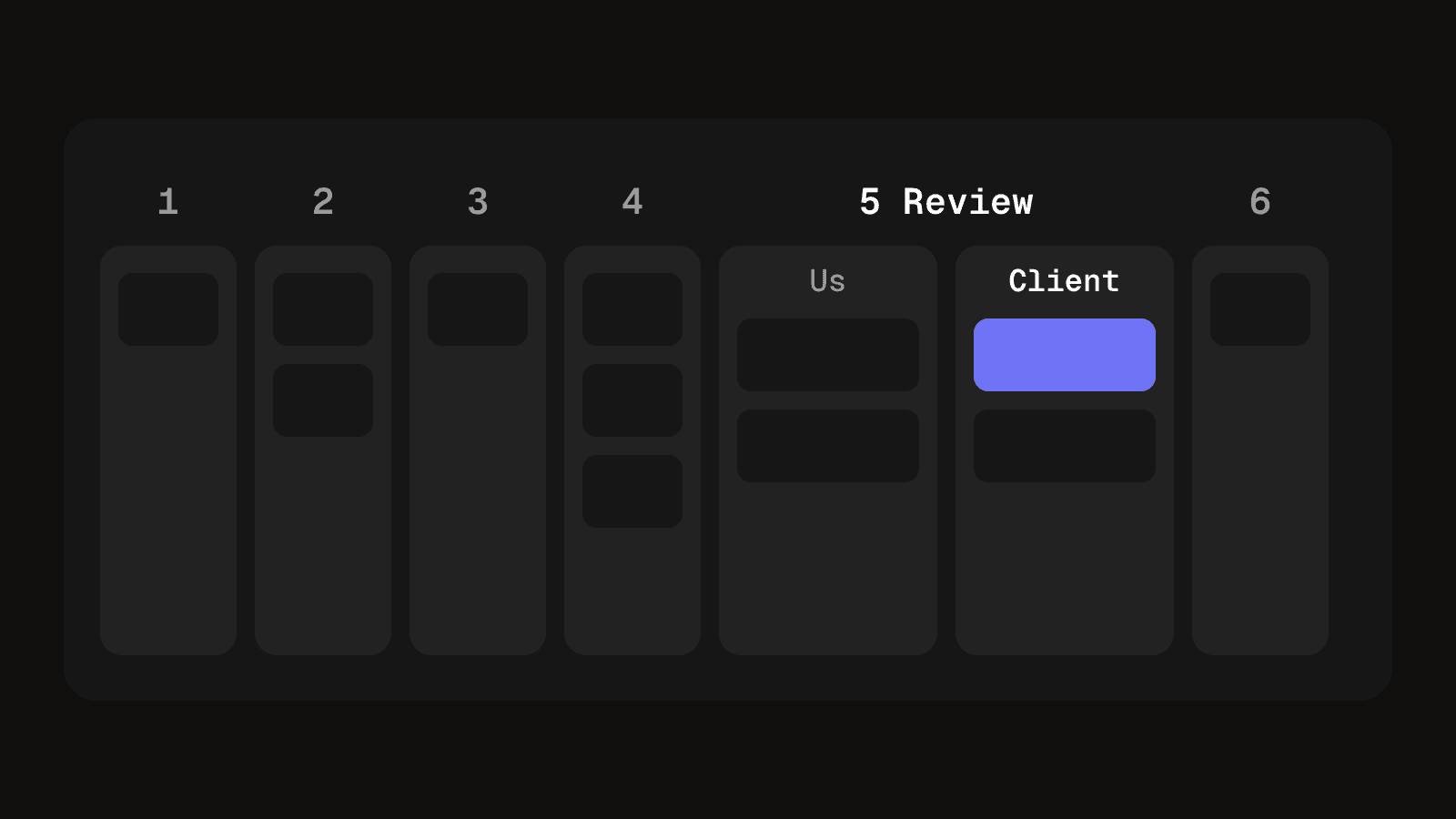
- Split Review into two columns. One for work waiting on you, one for work waiting on the client. A project waiting on approval for six days is not stalled in production, and the board should not make it look that way. A date beside the client column tells you when to chase.
- Limit Production. The Kanban Guide says members must explicitly control the number of work items in a workflow from started to finished. A column without a limit is where projects go to sit unnoticed, and a limit forces a conversation about what to pause.
- Give retainers a cycle card. A retainer never reaches close in the usual sense. Treat each billing period as its own card, close the cycle rather than the client, and reopen from Intake or Kickoff depending on whether the brief changed.
Scope changes need a rule too. Clients ask for one more cut or a new platform while production is underway. Route each request back to Scoping, price it or agree it as a swap, and only then return it to Production. If it is small enough to absorb, absorb it on purpose and write that down.
A worked example: one video project through the six stages
Say a client asks for a product video and three short social cut-downs.
- Intake. You log the request with the client name, a one-sentence brief and the date it arrived.
- Scoping. You agree the four deliverables, two review rounds and the price in writing. The client signs off before anything is filmed or cut.
- Kickoff. The client sends logos, footage and a named approver. You place both review dates in the calendar.
- Production. The main video and the cut-downs become cards on the content board. Production holds them until each is approved.
- Review. The client returns notes on the main video. Round one is within scope. Midway through, they ask for a fifth cut-down for another platform, so you send that back to Scoping, price it and only then return it to Production.
- Delivery and close. The final approval is recorded against a named version, files and publishing are handed over, the invoice goes out and the retro notes are filed.
The example has one revision loop and one scope-change loop, which is the whole shape of the chart.
A stage template you can copy
Copy this table into a sheet or document for each new project and fill in the right-hand column before the project starts.
| Stage | Owner, deadline, done when |
|---|---|
| 1. Intake | Owner: producer. Deadline: same day. Done when: the request, client and date are logged. |
| 2. Scoping | Owner: account lead. Deadline: before any work. Done when: the client has agreed scope, rounds and price in writing. |
| 3. Kickoff | Owner: producer. Deadline: before production starts. Done when: assets, access and review dates are in place. |
| 4. Production | Owner: editor. Deadline: the first review date. Done when: every planned piece is approved or a change is agreed. |
| 5. Review | Owner: client approver. Deadline: set per round. Done when: final approval is recorded against a named version. |
| 6. Delivery and close | Owner: producer. Deadline: within the agreed handover window. Done when: files are handed over, the invoice is sent and the retro is filed. |
Three measures, without a dashboard
Rounds used against rounds included, days waiting on the client, and scope changes raised after kickoff cover the main ways a client project goes wrong. A rising number of scope changes means the first agreed scope was not specific enough. You can read all three from dates and a change log you already keep, in a ten-minute weekly check. If you are building a report to track the workflow, the process has become the work.
When a whiteboard or a spreadsheet is enough
With one or two clients, a single queue of work and a team that talks every day, a whiteboard with six columns does the job, and so does a spreadsheet with a tab per project and a stage column. Move to a tool when one client's dates clash with another's, or when a project's files live in three places and nobody can say which holds the approved version. The video production tracker is a practical way to put the stages in a sheet first, and planning calendars across several clients covers the next problem once projects start to collide.
Write the six stages down this week
Draw the chart on paper for the next project that starts and check each gate against what happens. Change it once afterwards if a gate was vague or a loop was missing.
Questions people ask about project management workflows
For client work they are intake, scoping, kickoff, production, review, and delivery and close. Each ends at a gate you can check, so a project is never "mostly" through a stage.
The workflow is the route every project follows. The plan is the dates, tasks and people for one project on that route.
Sequential, parallel, kanban and hybrid. Agencies usually run a hybrid: ordered stages for the project, a kanban board for the content inside it.
Write the stages in order, add an exit criterion to each, mark the owner, and draw only the loops that really happen. Test it on the next project and change it once afterwards.
A product video moves from intake and a written scope through kickoff and production to client review, then closes with a recorded approval and a handover. The worked example above follows one through.
No. Project management is the work of running projects. The workflow is the agreed route that work follows, so it makes the running of each project easier to repeat.
Client projects from intake to close
Clients, projects and their stages in one workspace, with each approval recorded against the version the client reviewed.
See client and project managementKeep reading
Content workflow: what it is and how to design one for several clients
What a content workflow is, its stages and parts, task-based vs status-based, and how an agency with several clients designs one on paper first.
9 min read
Creative workflow management that keeps briefs clear and deadlines intact
Creative workflow management for small agencies: signed briefs, bounded revision rounds, separate compliance checks and the right file shipping.
10 min read