
What is a client portal? A guide for agencies
A client portal is a private, login-protected place where a client sees the work that concerns them, reviews it, approves it, uploads what you need and finds what was delivered, without a login to your whole workspace. Agencies need one when feedback and approvals spread across email and folders, and clients cannot tell which version is current. For one or two clients and a handful of files, email and a shared folder are still enough.
What is a client portal, and what else is it called
A client portal is a private page where a client logs in, or opens a protected link, to see the work you are doing for them and act on it. It is also called a customer portal or an extranet portal. "Customer portal" usually means a support or account area for many customers, while a portal for an agency serves a few clients with live projects.
It has four parts: a way in, a view limited to one client, the work itself (files, versions, schedule) and actions the client can take, such as commenting, approving and uploading.
It is not a shared drive, which stores files but does not say which is current or who approved it. It is not a project tool either, because that is where your team plans. Those two differences matter most for content and video work.
A client portal is a scoped view, not a second workspace
Most of a portal's value is what it leaves out. The client sees their projects, the current cut of each video, the notes they left and what waits on them. They do not see internal stage notes, other clients, team chat or your margin on the retainer. A login that drops a client into your full workspace feels like being handed the keys to the building. A login that shows one project does not.
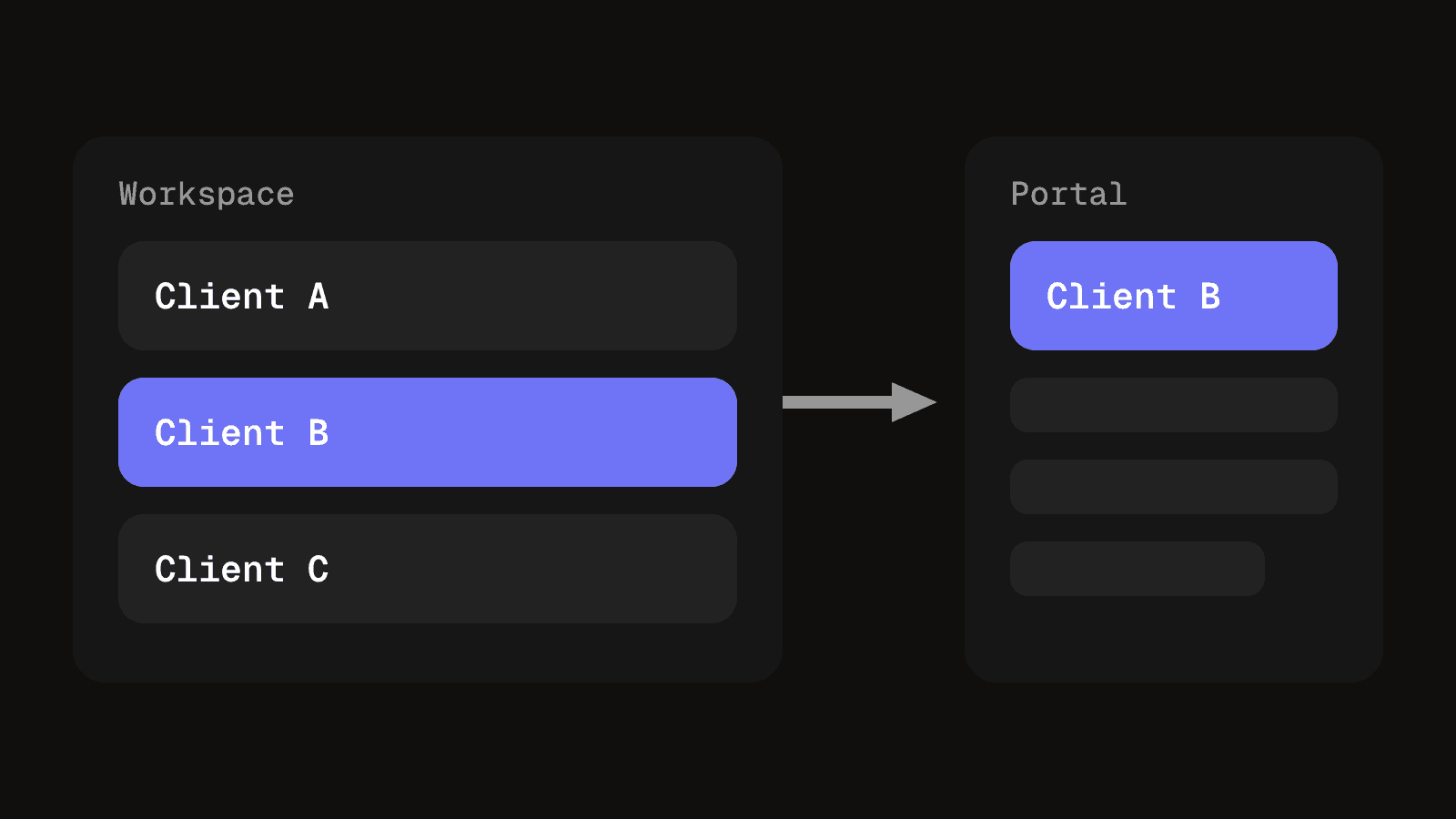
A portal is a place to read and decide. Your team plans elsewhere.
What clients use it for
- Approvals. The client sees the cut, names the version and says yes or no. The decision is recorded on the work, not in a reply you dig out of an inbox.
- Finding the latest version. Clients who get files by email hold three copies of the second cut and ask which is current. One link that opens the newest version removes the question.
- Uploads. Logos, brand guidelines, product photos, interview recordings. Each gets a place instead of arriving as an attachment you file by hand.
- Schedule. Which posts go out, on which dates. For most clients a plain list of dates does more than a calendar full of platform icons.
- Invoices and signed documents. Filed against the project they belong to. For many agencies this is the first reason a portal gets set up.
What a portal gives you once clients use it
- Fewer hunts through email. Files, notes and decisions sit against the project, so nobody searches a thread for the last approval.
- One current version. The client opens the link and sees the newest cut, not a copy from three weeks ago.
- A record of decisions. An approval names what was approved and when.
- Access at any hour. Clients check status or upload a file without waiting for you to reply.
- Easier handovers. A new team member reads the project and sees what the client has already seen.
When a portal is the wrong tool
Anything that takes more clicks than an email reply does not belong there: a quick question, moving Thursday to Friday, a thank you, a hunch about the grade. Asking a client to log in, find the video and type "looks good" is more work than the email they already sent, so they will send the email.
It is also the wrong place for conversation. A portal holds decisions and files, and discussion is faster in a channel the client already uses.
With one client who sends short notes and one video a month, a portal adds a login without adding much. The email thread is already the record.
Generic portals and content review portals do different jobs
The word covers two kinds of product. Check which one you are buying before anything else.
| Generic portal | Content review portal |
|---|---|
| Holds documents, contracts and invoices | Holds numbered versions of the same piece of work |
| Comments sit on the project as a whole | Notes are pinned to a timestamp on one specific version |
| Sign-off is a click on a document or invoice | Approval names a version, so a later cut needs its own approval |
| Suits paperwork and money | Suits cuts, drafts and anything with a timeline |
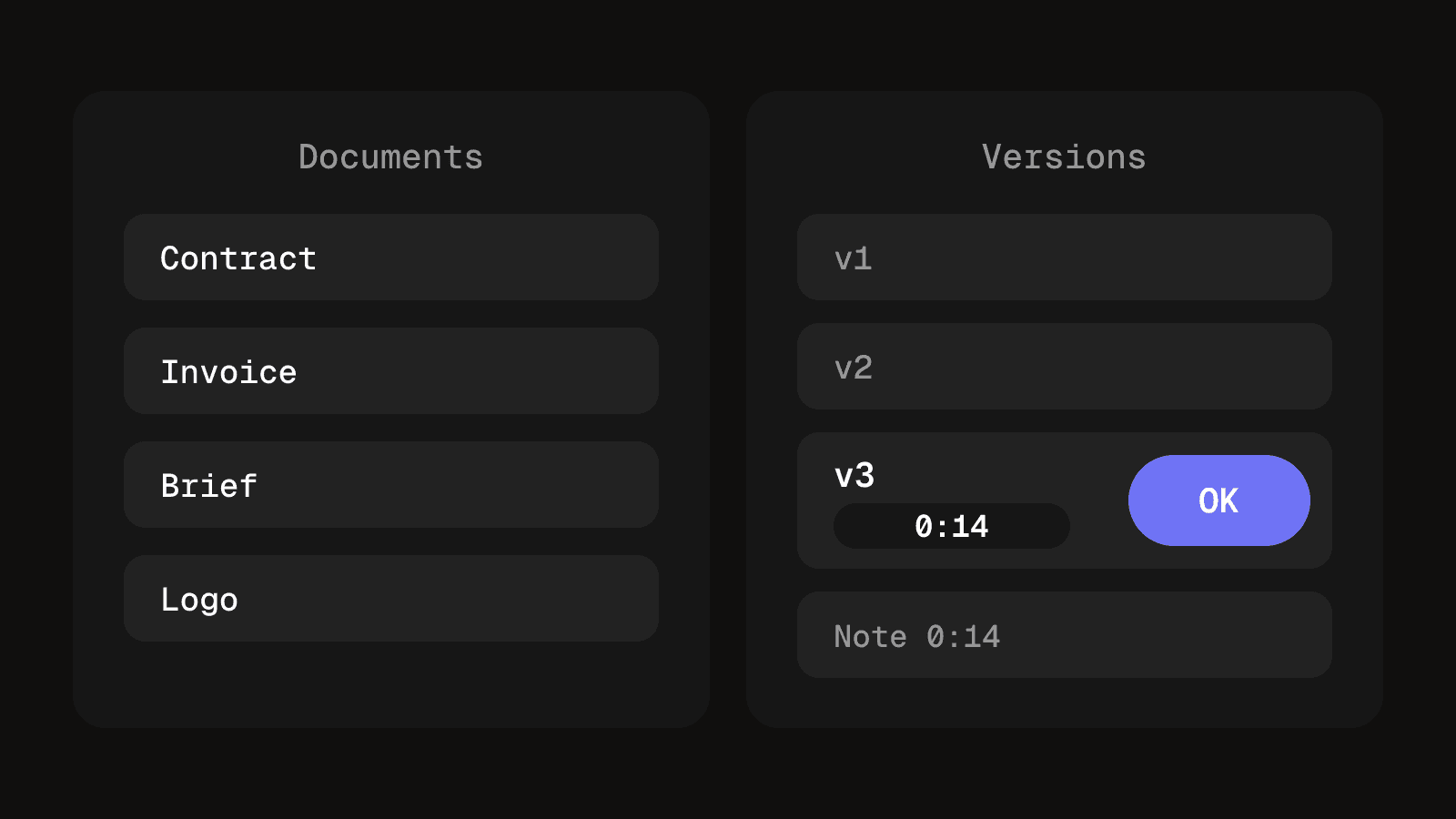
Most agencies need both at different times. The risk is buying the first and expecting it to solve the second. A portal that only accepts uploads leaves the versioning problem where it was: the client still asks which file is current, and feedback still arrives in a separate email.
Where the work lives decides which route fits
Each common route is fine for something and breaks in a predictable place.
- A shared folder. Cheap and familiar. It breaks once versions multiply, and access is granted to a whole folder rather than one project.
- A Notion or docs page per client. Good for briefs, status text and links. It breaks on anything with a timeline, and every page is maintained by hand.
- Portal software. Built for documents and invoices. It treats a new cut as one more file in a list.
- A workspace with a client view. One record of the work, each client seeing only their projects. It breaks when the client view is an afterthought, so check that client review and approvals hide what you mean them to hide and that a reviewer needs no account for your whole workspace.
Before you commit to any of them, run a test login and check three things:
- Scope. The client sees their own projects and nothing else.
- Login. Whether reviewers need an account, a password or only a link. Every extra step is a reason to reply by email.
- Export. Whether you can take your files and approval records out in full if you leave.
Security basics are plain practice
A portal holds unreleased work and client files, so treat access as part of the product. These are practices to check, not a certification to look for.
- Per-client access. Each client sees only their own projects, which is the OWASP Authorization Cheat Sheet principle of giving users only the minimum privileges necessary. Test it by logging in as one client and trying to reach another's.
- No shared logins. Give each person their own account or link. A shared password cannot tell you who approved a cut, and removing one person means changing it for everyone.
- Link expiry. A review link that never expires keeps working after it is forwarded. Prefer links you can set to expire and revoke.
- Where files live. Know which storage holds the files, who can open them and whether you can export or delete them. Files in email attachments sit in every inbox they reached.
Features to check in client portal software
Match the list to the work you do. For video and content, the review features matter more than the branding ones.
| Feature | Why it matters for an agency |
|---|---|
| Per-client scope | Stops one client seeing another's work |
| Review without a full account | Fewer steps means fewer replies by email instead |
| Numbered versions | Makes it clear which cut is current |
| Timestamped notes | Feedback points at a moment, not a vague description |
| Approval tied to a version | A later cut needs its own approval |
| Client uploads | Brand assets arrive in the right project |
| Notifications | Clients learn something is waiting without checking |
| Branding | Your name and logo, not the vendor's, on the page |
| Export | You can leave with files and approval records |
If your clients mostly sign documents and pay invoices, the review rows matter less. Weight the list to match.
How to create a portal for your clients in six steps
- Pick the first job. Start with approvals, since that is where email breaks first.
- Choose the route. Use the comparison above to pick a folder, a docs page, portal software or a workspace with a client view.
- Set up one client. Add only their projects, then add their contacts one by one.
- Log in as the client. Run the three-point test above before anyone outside your team sees it.
- Move one live project in. Send the link instead of the file, and ask for the approval there.
- Review after one round. Fix what confused the client, then add the next client.
Clients only log in when the work lives there
Adoption sinks most portals, and it is not a software problem. If the approval request arrives as an email with the video attached, the client approves from the email and the portal fills up with nothing. The fix is to remove the other path: send the link, not the file, keep the latest version only in the portal and ask for approval there.
Clients accept a login for work they need to see. They will not accept one that shows what already sits in their inbox. Some will never log in, so keep the portal as the record and let the email carry a short summary with the link. The client video review process covers structuring a round so feedback and approval land in one place.
Four questions decide whether you need one
- Do you send the same client several files or links every month?
- Can a client tell which version is current without asking you?
- Has a client ever approved, or pointed feedback at, the wrong cut?
- Could a new team member find a client's latest approval in under a minute?
If you answered no to most, keep email and a shared folder. If you answered yes to most, a portal earns its place, and approvals are the first thing to move into it.
Questions people ask about client portals
You add a client and their projects to a space only they can open. They log in or use a protected link, see the current version, leave notes, approve and upload files. Your team sees the same record from the inside.
It is as secure as the practices behind it: per-client access, individual logins or links, links that expire and files stored somewhere you can account for. Check each one with a test login before relying on it.
A drive stores files and permissions. A portal adds the context: which version is current, what the client said about it and whether it was approved.
The terms overlap. A customer portal usually serves many customers with accounts and support requests. A portal for an agency serves a few clients with active projects, so versions and approvals matter more.
It depends on the work. Paperwork-heavy agencies suit document and invoice portals. Agencies delivering video suit a content review portal with versions and timestamped notes. Test with one real client before paying for more.
Pricing varies by vendor and by the number of clients or users. Read each vendor's current pricing page, and check whether client reviewers count as paid seats.
Client review without the email chain
Clients get a link to their own projects, the current version, timestamped notes and an approval recorded against the cut they saw.
See client experienceKeep reading
How to design an approval workflow that does not stall work
Design an approval workflow for any piece of work, a post, a cut or an invoice: choose the order, name one decider, lock the version, copy the template.
8 min read
Content approval process: stages, roles and client sign-off on social posts
A content approval process for agencies: stages, roles, a copyable template and client sign-off on social posts, with batches, a silence rule and a record.
9 min read